
Hello friends and welcome back to another Stealthy Dicey (DX) developer blog. Though at first these were meant to be weekly we have found ourselves in a bit of a lull in terms of content. It’s a phase where every project eventually lands, once one implements systems but not features and it’s one seldom talked about, but vitally important. Though we’re going on 12 weeks of development without a playable build what we are building in the background will mean that once we’re ready to program and get the project sorted stuff will move along swimmingly.
Unfortunately this does mean that I don’t get to publish every week, as was my original plan. Rather than big, great things I can show every week when it comes to game design, art and sprite we are in a phase where ideas are plentiful, but progress is slow. With our programmer having left the project due to personal business. Our environmental artist developing carpal tunnel and our producer sick I was left with nothing I should be directly doing. I had the freedom to fully develop ideas and see what came up to my head.
So when I was watching someone play and review every single Simpsons game and I saw a mechanic that I thought would be fun to emulate, and given that it looked simple enough I could do it I thought, why not? Why not make a prototype and hope it might count as content?
Bart VS the Juggernauts
In one of the minigames in Bart Vs the Juggernauts Bart Simpsons falls down from the sky avoiding bullets and cannon balls that are thrown at him. He can move left to right and you can press up on the D-pad to slow down your speed so bullets wheeze right past below you. It is also an important feature because as you approach the ground and need to land your speed has to be slow enough you don’t get hurt landing. Presumably the little yellow Simpson would break their legs if they fell fast enough so we have to avoid that happening to them.
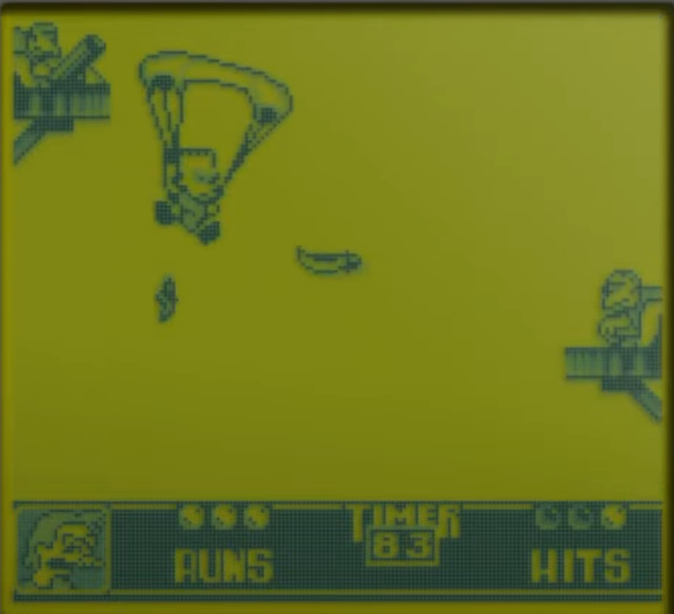
Screenshot of Bart vs the Juggernauts where Bart is on a Parachute dodging obstacles. The character falls down, and can move left and right.
Having previously worked on a rough draft of the starting sequence of the game where our main character is thrown without a parachute, my idea was simple. What if we “played through” their fall? We didn’t want to have our character “having a cow, man”, but it would be simple enough to implement. I would just need to create a new sprite of the character holding a parachute, some background clouds and such. Something the character has to dodge and…
It was done in an hour. Playable too, though not playtested to have good game feel or otherwise be seen as the final product. Though Stealthy Dicey is being programmed in Unity, and though I know C# I decided that something this basic and prototype like should be done in a way that prioritised speed over complication. I started with designing the new sprite. Our main character holding a parachute. And making it so every time the left or right keys were pressed its rotation increased by a little up to a limit. They also moved left or right, getting stopped by the edges of the screen.
As they’re basically falling a very long vertical shaft, and resetting before they hit the ground the fall is infinite but it works as a prototype of sorts. As I had nothing else to do at the moment I added a few more elements to it. I drew a cloud, with a silver lining, and a target and made the target move left and right. I made the player able to slow down their descent by pressing up, and I made it so the target is ahead of the player but the clouds are below him. Pretty soon I had something that looked good.
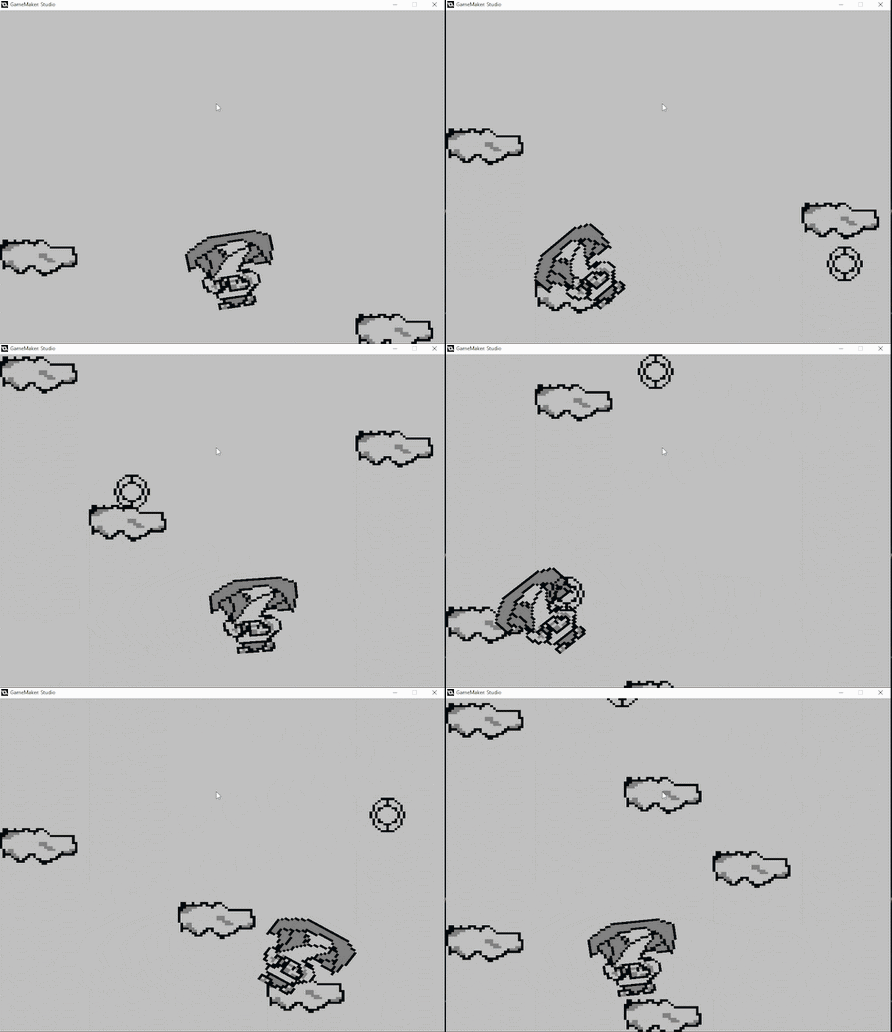
Player falls through the sky, moving down, targets moving left and right try to target the player yet he avoids them. Player rotates when he moves left or right as if adjusting.
It wasn’t even that complicated code wise. Basically I initiate some variables in Create
turn = 0
fall_speed = 1.2
And act on them in Step, which when this is inevitably ported to Unity wll be Update().
y += fall_speed // every frame y goes down by 1.2
if y > room_height – 48 { //if we go below the edge of the world. We reset on top
y = 48
}if keyboard_check(vk_up) //if we press up we slow down how much we fall
{
fall_speed = 0.5
}
else
fall_speed = 1.2 //otherwise we fall at normal speedif x > room_width – 32 { //if we reach the right edge of the screen
x = room_width – 32 //we can’t go further right
}if x < 32 { //if we reach the left edge of the screen
x = 32 //we can’t go further left
}
image_angle = turn
if keyboard_check(vk_right)
{
turn -= 2 //if we press the right key, we start angling counter clockwise
x += 2}if keyboard_check(vk_left)
{
turn += 2 //if we press the left key we starting angling clockwise
x -= 2}if turn > 45 //if we angle too much
{
turn = 45 //we can’t angle too much
}if turn < -45 //if we angle too much
{
turn = -45 Y//we can’t angle too much.}
With the targets being a little bit of a show. They acually don’t affect the player at all, and are just there to scare them. As this is set to be the first thing the player does in the game before even landing and starting the stealth section I didn’t want it to be possible to die before we even start.
So we set up a direction in Create
Create
Direction = 4
And then in Step that runs every frame:
x += Direction //we move right by direction
if x > room_width – 16 //if we reach the edge of the screen
{
Direction = -Direction //we now move left
}if x < 16 //if we reach the left edge of the screen
{
Direction = -Direction // we now move right.}
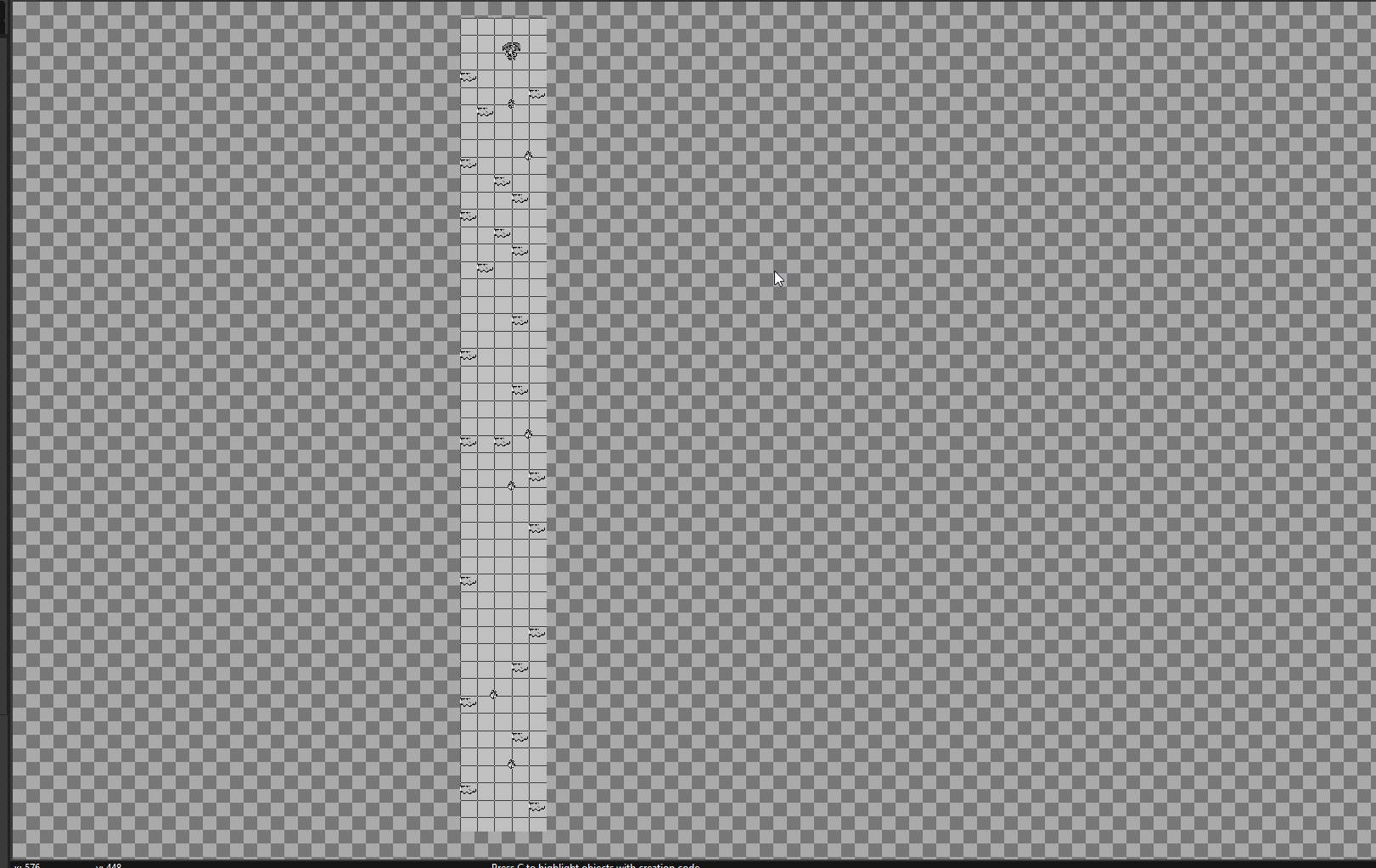
Level for the parachute fall of Stealthy Dicey. It’s a long vertical shaft that maintains the 160 screen width of the Gameboy but goes down hundreds more pixels.
I was even a bit extra and designed a very basic title screen with a basic animation. It’s not going to be the final title screen in the game, not at all and it’s just meant to be the title screen for the prototype but it was a little bit of polish for the prototype I aimed to showcase the rest of Atelier Cassette.
Going back to the far more bear design of earlier prototype, a fact I attribute to it having been drawn in about five minutes, tbe title screen where one presses space to continue features the head of the main character in a ring, inspired by Sonic on Mega Drive as clouds go by.
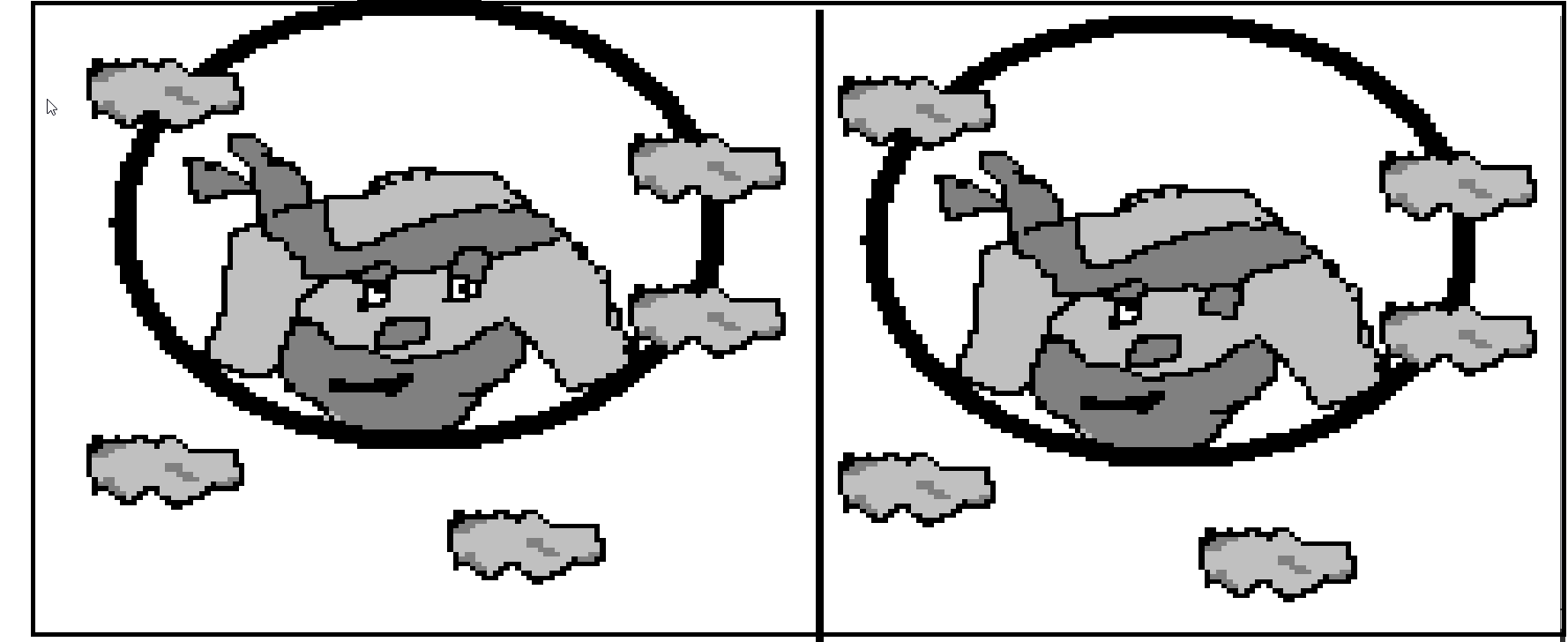
2 frames of title screen of the parachute prototype, inside a ring the head of the main character crudely drawn, next to some clouds, the main charater winks in a 2 frame animation at the player.
Title Cards
On a much less interesting note I also toyed with the idea of the game having title cards for each chapter- As an amateur animator who had designed all the characters I had found myself drawing them in my sketch pad in all sorts of interesting, antecipation like poses. Body language that told us they were scared, or about to jump, or ready to dive out of a parachute etc. Although those weren’t yet translated to the art of the pixel, that is made to be pixel art I thought that having them drawn digitally would be fun.
Alas I don’t own a drawing tablet so my ability to draw digitally is limited. I was also not limiting myself to the Gameboy’s 160×144 as I wanted to see what I could do. Still I drew our main character being faced by a Giant Snake, a potential boss we’ve had in mind.
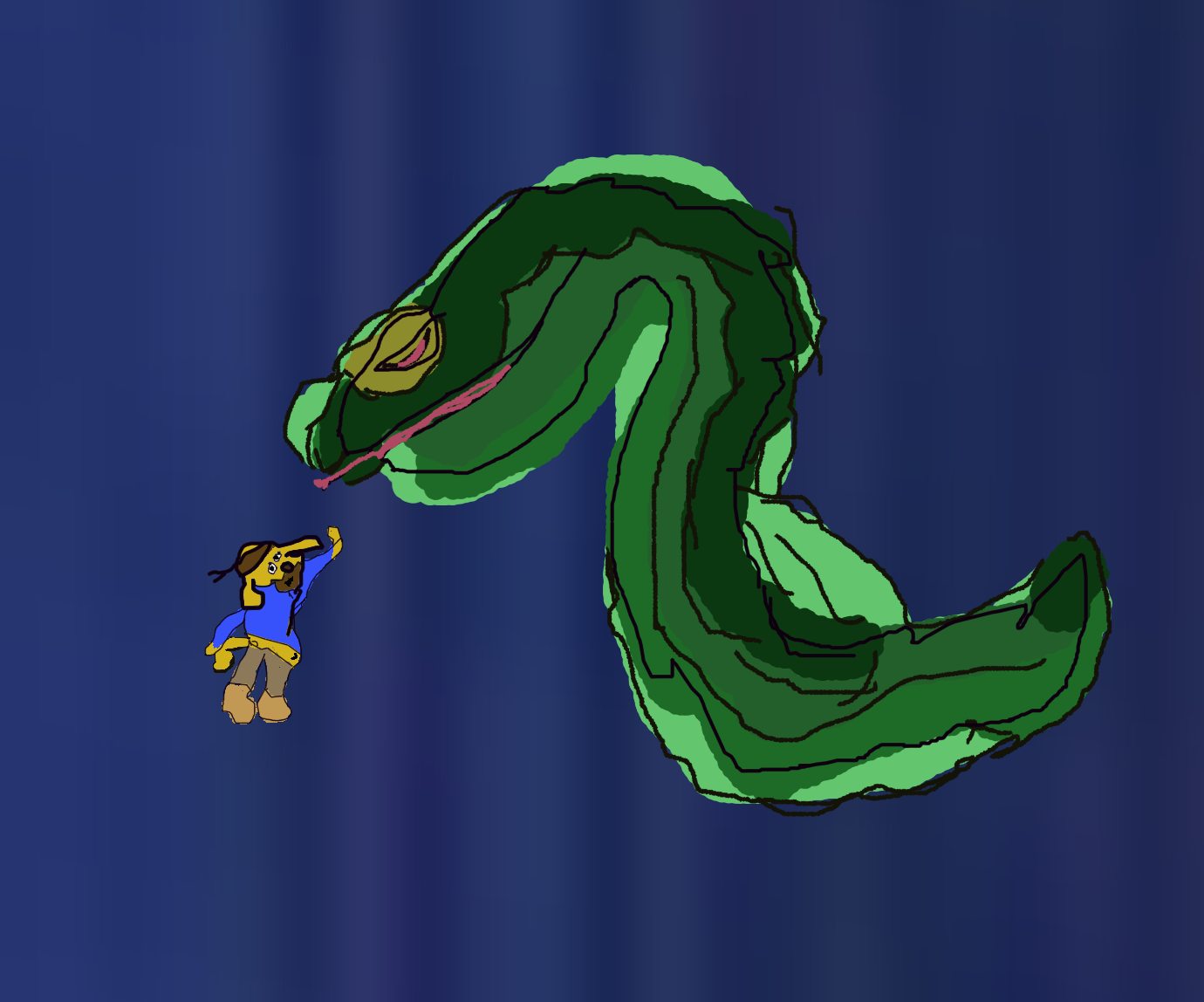
Main character of stealthy Dicey is paralysed next to a giant Snake, their body language telling us they got caught mid sneaking in. Character is drawn in a cartoony fashion with exaggerated features, wobbly limbs and overly readable poses.
A very rounded version of the main character in an exxagerated motion of sneaking was the result. This was just mapping out poses. This was before a storyboard, before even concept. It has no shadow or depth or anything of the sort but it does sort of tell us exactly what we want to have as the potential title cards. My goal was that (bad art aside at the moment), if someone were to have this in only black and white, no features just shadows they would still be able to read the action.
My producer jokes that it looks like the main character is high fiving the snake and the snake is like “dude seriously? No hands!” That’s also a fair read.
The prototype was actually really enjoyed by the rest of the team. And I think it might be even be ported to Unity once we either find a programmer or our producer feels better. So that’s a win. The Snake mad at high five though? That needs more work. Work I plan on doing.
So these two weeks on Stealthy Dicey DX I:
- Practiced character poses
- Paid “tribute” to a childhood game by copying it
- Developed a very bad title screen
- Developed a prototype for our game
- Realised the project is in a bad spot and needed to step up. Uh oh.
And if my brain tells me that’s nothing? I can quickly tell it to hush. After all. I’ve got a literal playable build of what I accomplished (and that’s not getting into other prototypes I did this week, which I can talk about at some other point).