
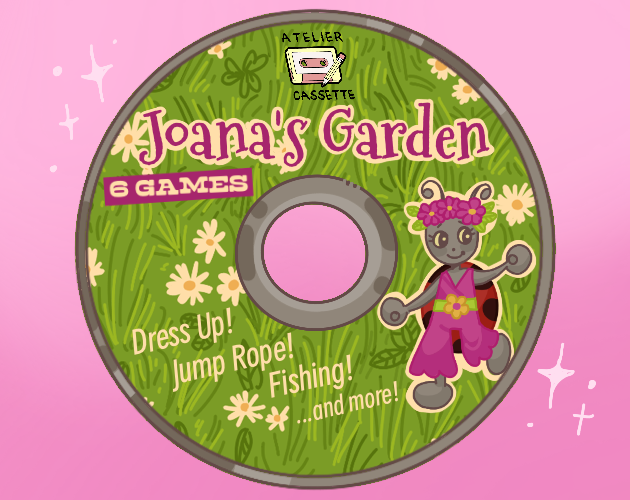
The cover for Joana’s Garden. It features a character and the text “6 games, Dress up,. Jump Rope, Fishing! And more”. It is done in the style of 90s shareware cd art.
I usually say that my creativity comes and goes in bursts. I spend months, years not writing drawing or programming and then in the span of a few weeks I write entire novels and do several hyperfocus games. It is a style of creation that can lead to absolutely bonkers level of production and output, as evidenced by that time I managed to translate 18 thousand words in a single day (which is just 7 and a half the typical output of a professional translator) but it isn’t very consistent. Both because it comes and goes, and it can be months between burts but because it isn’t very healthy for my body. Heavy crashes are expected the day after such hyperfocus based outputs, with 18 hours of sleep or so as a standard.
No, though I am in one of those bursts at the moment I can recognise that the real mark of producing work is being able to finish things. It’s a skill all of its own, finishing things and one that can be very hard to train when your games tend to scope creep and your work is, in your opinion, never quite good enough. The urge to keep adding things and change a thing here or there is one that I fully understand and though professional work, having to deliver translations, has taught me better there is still something to a lot of my hyperfocus done in one 8 hour session games I think is lacking.

The Frogger game (640 x 480) opened on Gamemaker, showing the visible structure of objects and gameplay. Cars, logs and turtles are visible though zoomed out.
Which is to say that as cool as they are, and proof of me trying new things those games aren’t exactly portfolio pieces. Cool, yes. Something I’ll collect and preserve same as I preserve Portuguese videogame history with Retroarquivo but not much more than cute pieces that serve as proof of my creative output. I’ve always been quick at building arcade like prototypes, one or two hours and I have something ready to show and play but I have never taken the time to polish it and make it something playable for more than five minutes. it fits with the design constraints that I greatly enjoy working with, the early 00s email games with one quick mechanic and under 2mb in size but the hyperfocus is something that comes and goes. As soon as I consider something not worth my interest I drop it. It’s something you can see from how I go from carefully labeling every sprite as “spr_thing_whereinthegame” to keeping the default “sprite54”.
Even though I have been enjoying one of those burts of creativity, as noted by me updating my Pokemon fanfic after 686 days and the hyperfocus games I wrote about just last week I had reservations about entering this jam. It was something I had planned to do months ago, one of the only ones I kept an eye out for and yet it still managed to snuck on me. I had ideas, and I was in a state where I could actually program s0mething but was that something I wanted to do? A friend of mine once described game development as 90 percent grind and those rare 10 percent enjoyment and while she works at Ubisoft, so her scale is much bigger the idea isn’t totally off. Could I count on myself to create something that wasn’t half assed and done in a day and dropped? Could I count on doing something I was proud of?
The answer, it turns out is yes. The game I made for this jam is genuinely good in a way I don’t think my hyperfocus games are. Both in terms of scales, being 7 or 8 of those, art, though I’m not the one to thank for it and consistent game design. With a lot of my other games they’re stuff that I find neat but lacking. This game however? I legit am proud of it. In fact knowing I managed to program it by myself I feel pride in my work.
It also marks a stark improvement in my coding abilities. I revisited ideas from when I first learned to code C#, I used state machines and though the code still has a fair bit of hacky, gamejam energy to it I have learned to apply new things and learned many new concepts for the game jam. But what exactly did I make as my game? Well, why don’t we go chronologically? Here are the games in the order I worked on them.
THE DRESS UP GAME
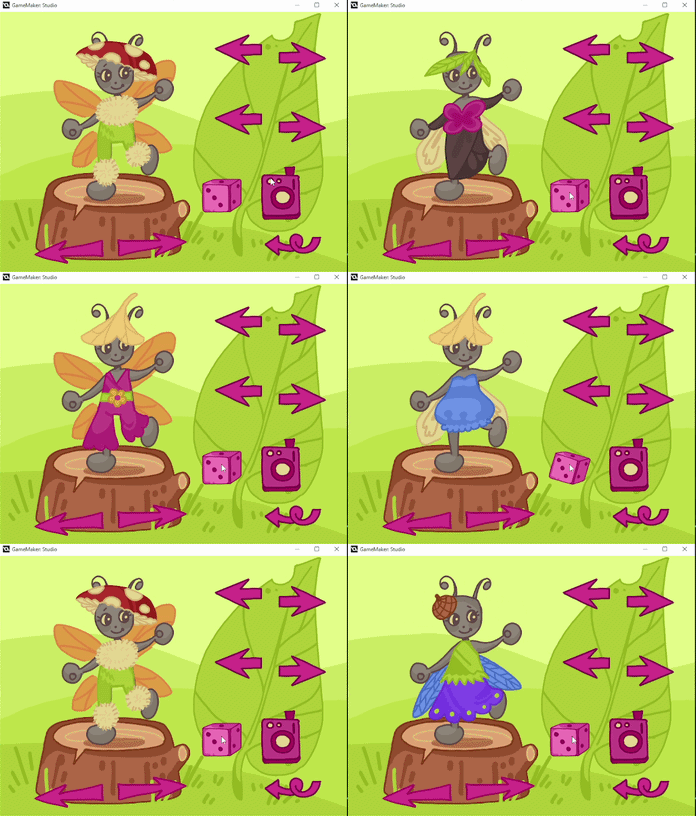
A gif of the dress up minigame in Joana’s Garden. It shows the randomised button being pressed showing several of the 288 possible outfit combinations.
E-mail games, the likes of which only had a very bit crushed song and which were shared via email in the early 00s. Though it hid limitations with my programming and engine of choice they were also hugely nostalgic to me and the style and type of game that I wanted to make. Growing up getting magazines and CDs with “1001 games in one”, or “101 games”, popular characters that companies definitively did not give permission to print on the cheap paper and front of the disc those Cds were hugely nostalgic. Collecting plenty of shareware or freeware games, often thinly veiled ads for a particular brand or service those cds were part of a tradition that I greatly enjoyed. Though I grew up with the Dreamcast, Gameboy Color, and eventually moved on to the DS, 3ds, Ps2, Ps3, Ps4, and have over the years collected every single console that I could and missed (and really how expensive are Gamecube here!) there is a very particular set of nostalgia to my Windows 2000/Xp machine, putting one of those CD in and just playing through several Macromedia Flash or Visual Basic games.
It is part of the reason I still choose to use Gamemaker Studio despite its limitations. It’s not just that Unity and Godot give me panic attacks when I open them and see hundreds of options and a full on 3D view. I cut my teeth making games with Blitz Basic, Actionscript and yes, eventually Gamemaker so the type of late 90s looking environment ready to go for coding without many bells and whistles is one I enjoy. It’s the ease, the fact that I can just write code and run it. Though I know C# the time I spend defining objects and writing classes is time that I could already be running and iterating in Gamemaker.
Still, from those CDs came a very particular set of games. In Cds printed with images of Hello Kitty, Barbie, Powerpuff Girls, Pucca, Bratz, Sakura Card Captor and other popular traditionally girl-centered media characters, with the subtitle Jogos para Menina (games for girls) there were several game types that were common. Sadly they pretty much play to stereotypes. Ponies, fairies, cooking and cleaning games. Saloon, nails and hairdresser games. These games did very little to challenge the gender stereotypes and perception that pink = girls. And while I could (and have) writen essays deconstructing gender expectations and how it’s a result of patriarchy I don’t think anyone is here for a particular essay.
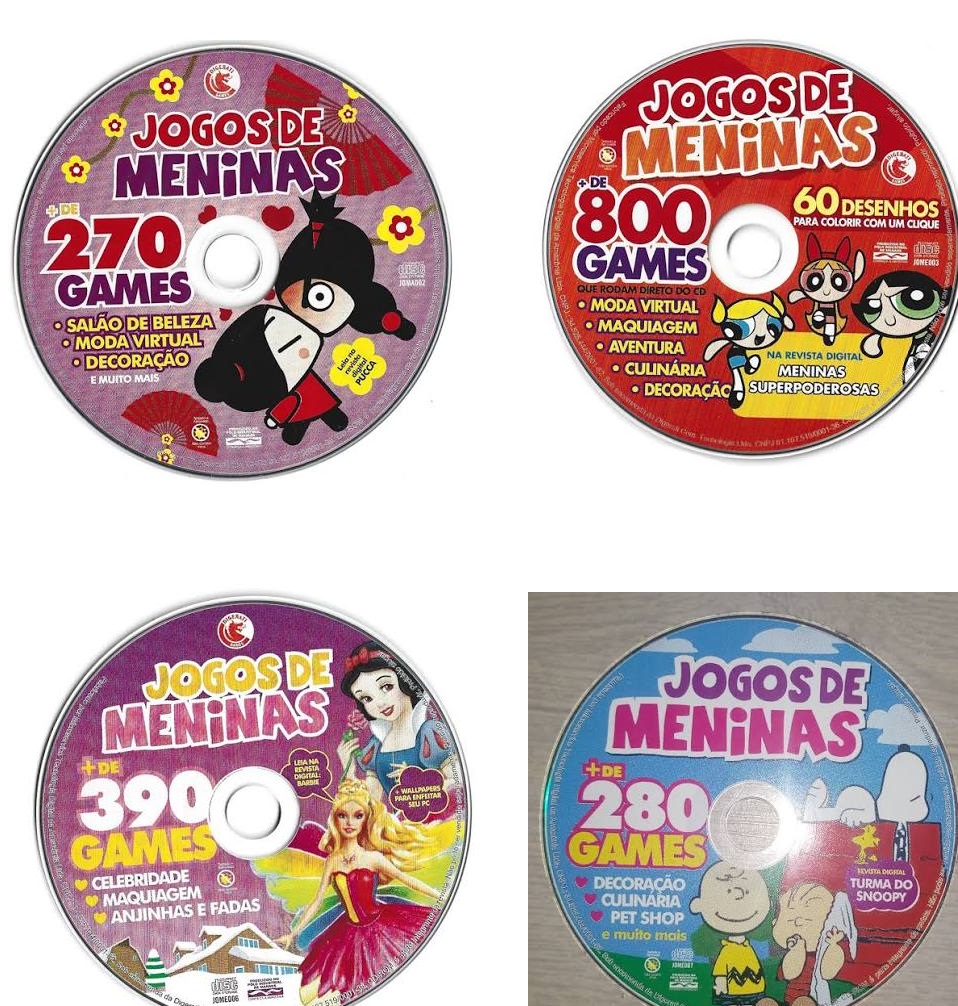
4 examples of CD with “jogos para meninas”. They feature popular characters, like Snoopy from PEANUTS, Barbie and the Powerpuff girls and proclaim to have “over 200 games” in big bold letters
But there was one set of games in there that I particularly enjoyed. Dress Up games. Games where you have a character on one side of the screen and a variety of acessories you can toggle on or off, freely swap or, in some cases drag and drop. The objective is to dress your character in whatever combination you desire, no matter how terribly clashing the colors may be. I remembered a particular one where you got to put acessories on a Mr Potato Head. Swapping arms, eyes, and feet. And yet another where you were dressing a famous 2000s football player and could decide between dozens of jerseys. Finally, Zidane could play for Benfica!
Me being a Sportinguista and shuddering at the idea aside those two examples prove what I have since thought. Game mechanics and types of games can be greatly associated with an idea of boy thing or girl thing but they’re universal. Those games, trying to appeal to the traditional idea of masculinity were proof that dress up games could be universal.
And yet I had joined the Girly Game Jam. I had long since wanted to make this type of game, my personal nostalgia mixing with an idea of how to make it. I had not looked it up, nor had I worried about how to make it but I looked at it like a puzzle for me to solve. In fact I had a pretty good idea of how I thought it could work. It was one of those ideas I had had in the back of my mind for months and if this wasn’t the perfect time to experiment…
Yes, a game jam with limited time. The thought of doing something new and risky in a game jam might seem silly but I figured if anything it was a low stakes environment where my crappy code would be a feature. Expected, and as long as it ran it would work well. The theme of the jam was All the Little Things and my mind immediately went to the idea of bugs.
It was a very literal interpretation of the theme. Little things? Well obviously, bugs. But I had always been the autistic kid grabbing bugs with his bare hands and showing them to people. In grade school I had developed a reputation for being able to make roly-poly bugs relax enough to unroll themselves on my hands. But since I could not exactly use Pikmin because they were copyrighted it would have to do.
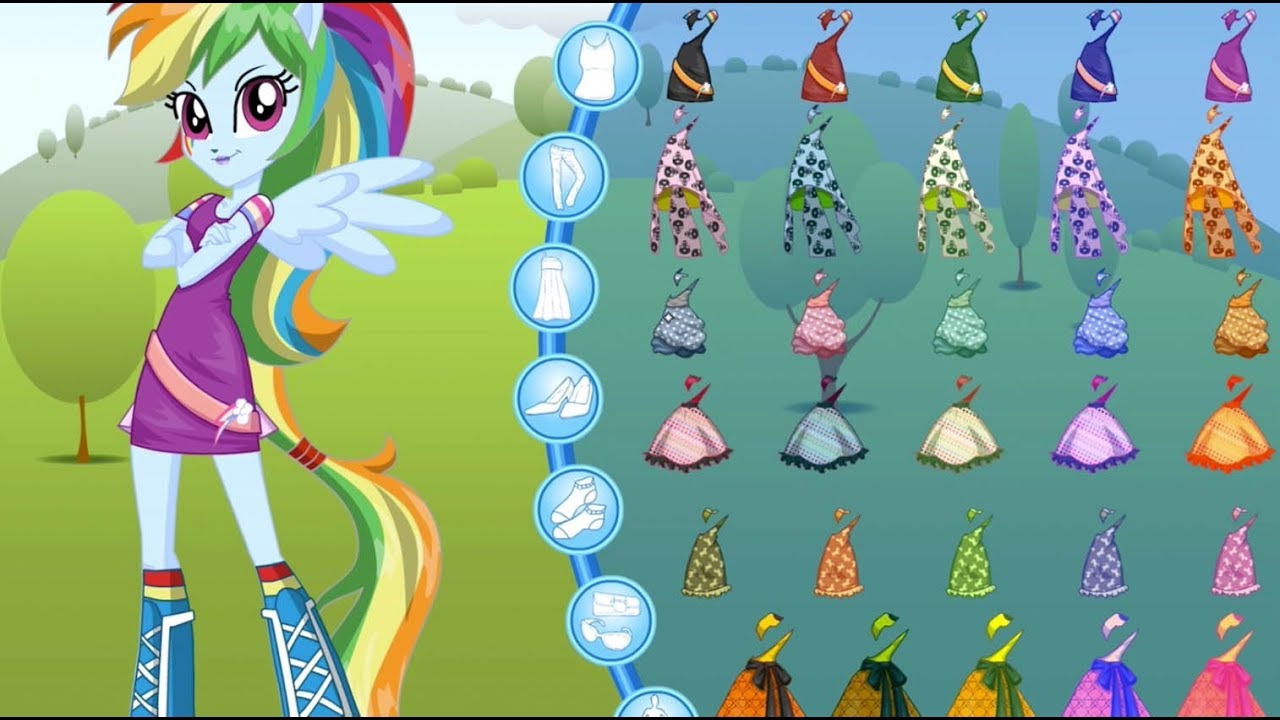
A dress up game featuring characters from Equestria girls, on the left the character, on the right several options of clothes to drag to the character.
My idea was simple. Have a base, the little bug with their body naked and then have clothes be layered on top of it. Through having their depth be lower than that of the bug it would cover them and appear as if they were now wearing clothes. I could simply create an object where each sprite was a layer of clothing then set their image_index via code to have it show over the character. Then, when a button was pressed, via mouse click or a particular key of the keyboard. I already knew that other objects could affect characteristics and variables inside an object. I could for example create an object where, when clicked it would randomly pick a number, thus picking a sprite.
If this had been something I was doing in C# and I was writing cleaner code, I would have created an index. I would have created an index that I could look up and reference. But because this was a jam game I told myself I had permission to write messy code. Fast code, that might or might not work.
I had opened up Krita and drawn several variations on Skirts and hats. Exported them as transparent images and imported them as images. Knowing that all I needed was to simply roll through a selection of options I also created an arrow. I thought one to be enough; I could rotate it in code to face the other way. Then, the magic.
Create
Count = 0
Step (equivalent to update in most engines)
image_index = Count //what sprite is selected is Count
if Count > 5 { //if we go over 5
Count = 0 //loop back to the beginning
}if Count < 0 { //because there is a left arrow. If we go under 0
Count = 5 //loop to the end
}
I decided to try and comment my code this time. There might be obvious enough explanations in the code but when I went back to look at some of my original games from two years ago i found myself confused. It is good practice to do so anyway, and given how hacky my code can be it will guide me in the future.
With a simple way to count what images were selected (and then place them) I had to do something to increase or reduce Count. It wasn’t particularly hard. I looked at the arrow I had drawn before and just did this:
Create
image_angle = 180 //this makes the arrow look the other way since it’s looking right and this is supposed to be the left arrow
On mouse pressed on top of it
obj_hat.Count = obj_hat.Count – 1 //takes Count on object_hat and reduces it by one
With other arrows doing obj_hat.Count = obj_hat.Count + 1, or using obj_skirt.Count and not having the code to flip them if they’re pointing to the right.
It was a simple design, fairly simple and making up the assets took more time than to code it but it worked. Though there were a few bugs with placing the clothes in just the right spots I had a working version in less than 10 minutes (which doesn’t count the time drawing up cute clothes). While the art wasn’t great I told myself I could focus on that afterwards, when doing polish. For now i wanted to keep working on features.
A feature that a lot of games of this type had at the time was the ability to take “a picture” of your creation, which would be saved in your computer as a screenshot. It was a feature I remembered fondly even if my childhood pc with Windows XP had long since been lost. It was a feature that I hoped Gamemaker would be able to do and so I dove into the documentation hoping to see if it could do it.
To my great happiness Gamemaker had such a feature. I quickly doodled a camera looking object, gave it a second image to indicate a screenshot had just been taken (since at the time I did not plan to have sound – I’ll come back to this) and created the object. A problem however was what to name the file. It couldn’t just exist without a name could it? The problem was that if I hard defined a name for it to try and save as it would always save as that name and overwrite itself. I pondered about how to approach this. What could I possibly do to fix this? I pondered adding + irandom(999) to the name, appending it at the end. That would ensure each screenshot would be “name” and a random number from 1 to 999. It was statistically unlikely that the number would repeat. If I had used random, instead of irandom, it would be even less likely, given irandom forces the random to use integers, so only full numbers with no decimal numbers. I was about to do that when I had an idea. Thinking myself clever I remembered the function that tracks, in milliseconds just how long the game has been open for. Now there was something that would be unique to each screenshot! And it avoided the statistical unlikely scenario of someone taking so many screenshots they overlapped.
The code for my camera object went as follows:
Create:
name = string(current_time) //current_time checks how many milliseconds have passed since the game started. I have to put string before it to turn it into a string, as otherwise it’s just numbers. I store it in the name variable.
animate = 0 //this will control the animationStep
image_index = animate //
//if animate is equal to one and you’re NOT pressing the mouse over the object
if animate == 1 and !mouse_check_button_pressed(mb_left) {
animate = 0 /reset the animation
}On mouse click
//built in function to screenshot. It names the screenshot with the variable name (which is the milliseconds) Due to engine limitations it seems to only save in bmp, so I added .bmp to make it a viewable file.
screen_save(name + “.bmp”);
animate = 1 //cbange to the camera click flash. Given Step when you let go of the button the image will go back to default.
It worked wonders. Now with a working prototype (and very bad art) I was ready to prepare the next minigame in my “early 2000s CD freeware compilation for Girls”.
JUMP ROPE
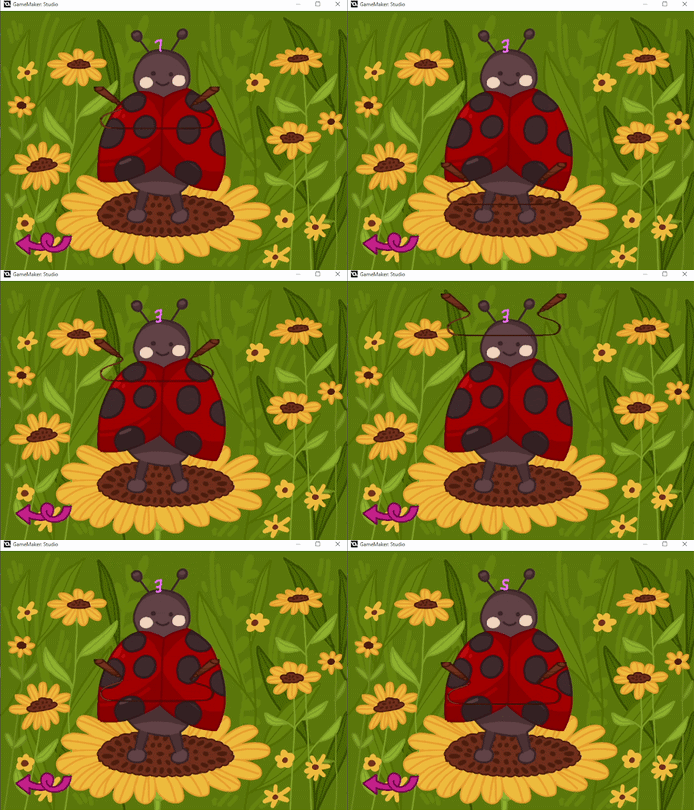
A gif of the jumping rope minigame in Joana’s Garden. It shows the rope moving down, the ladybug jumping, then the rope moving up. Repeated a couple times.
This is a game that I have been making in some shape or form since the WarioWare DIY days. The idea is that when the rope hits a certain spot you either jump or you lose. Although I had not programmed this game with code, as in my own code because WarioWare’s amazing features meant I could do it without code this is a game that I thought relatively easy to do. After all, just have the rope go down, and if you press the button after it’s below a certain threshold you win and if not…well you lose, I suppose. Making the rope go down was easy. Making it go up was harder…or it would have been if in my last hyperfocus project (which i’ve written about in this very blog) I did not learn the difference between OBJECT -= OBJECT and OBJECT = – OBJECT. One stops you, entirely because you’re removing your speed from yourself, the other makes it so if you speed is 4, it now is -4.
I started by defining a variable named V_speed. Ironically enough Gamemaker has a built in function called v_speed but I wanted to add just one layer of abstraction. No reason to, if I’m being completely honest but It’s a habit I picked up from my programming in Blitz Basic days. So we start with setting up a vertical speed. We also start SCORE here. Again gamemaker has a built in Score function but I was particular about making my own.
CREATE
SCORE = 0
v_speed = 4
Now that we set up V_speed and SCORE we can manipulate stuff. On Step that runs each frame I have
y += v_speed //each frame go down by V_speed
if y > 512 // If it goes below a treshold
{
v_speed = – v_speed //v_speed is now -4, because y + – 4)
}if y < 128 { //if Y goes too far up (Gamemaker has the Y inverted)
v_speed = – v_speed // Because – with – gives you a positive number so it becomes +4
}
if keyboard_check_pressed(vk_space) and y > 448 //if you press space and the rope is below a certain treshold
{
SCORE += 1 //add to score
v_speed += 1 //make the rope faster
}if keyboard_check_pressed(vk_space) and y < 448 //if you hit it below the treshold
{
room_restart() //everything resets (turning your score to zero)
}
Making sure that the rope is always in front of the player (though I considered making it change layer_priority when going up to simulate it being behind the player) I now had a very simple minigame. But there is something missing here. A losing condition! Sure the room restarts if you press space too early. But if you don’t jump at all? Well no way to actually lose right?
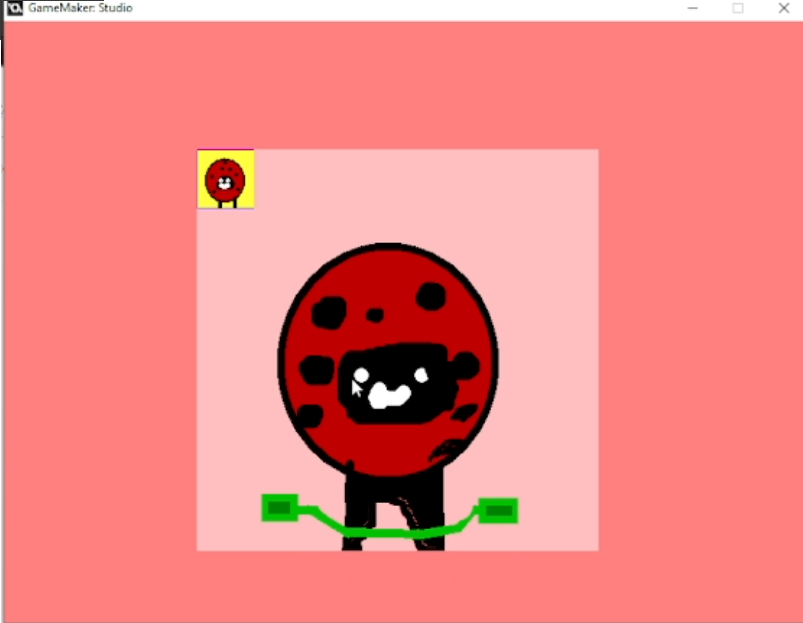
Screenshot of the prototype of Jump Romp. The background is a simple solid color with a square of a lighter pink color in the center. The rope is just two rectangles connected by a slightly curving line and no score is shown.
This was a bit of game design I wondered about. The stereotype about Girly games is that they’re easy, for casuals, not inherently hard. The idea is that many don’t even have a lose condition. It ties into that idea that girls only play Candy Crush and Animal crossing. An unfortunate stereotype. And yet I wanted to keep this casual. Not because the game is for girls, but because I wanted this to be more Activity Pack than game, if that makes sense. A series of minigames you can play that you play to relax. I have a friend with a young child and I kept thinking, this is something a 3 or 4 year should be able to play.
I decided to look at the player. I needed them to be able to jump and then after about a second fall down. Gamemaker does have (and I feel like this is a theme here) ways to control the animation with built in functions but I’m from a time where we made manual animation systems. That is so deeply ingrained in me that I could not not do it that way.
So the way it owrks is that first upon creating I set up image_index and animate both at 0
CREATE
image_index = 0
animate = 0
With those defined I can proceed to animate. I had to think I know the player only jumps when the space bar is pressed. It needs to hang in the air for about a second. So how to do it? The solution I came up with is one I’ve been using in my games for years.
image_index = animate //animate is now what controls what sprite we’re on
//when we press space animate is now 1 (so it changes to the player jumping)
if keyboard_check_pressed(vk_space)
{animate = 1
}//if animate is bigger than 0 (which should only happen when we jump)
// we add zero point two to it.
if animate > 0 {
animate += 0.2
}//eventually it’ll reach 2. If it’s over 2 (which should happen after a few frames)
//it goes back to zero, which is the first image
if animate > 2
{
animate = 0
}
Technically this has a very tiny bug in that there is a frame where it is exactly 2 and since there are only two images and Gamemaker counts from 0,1, it quickly loops between the two images. But it happens so fast that it’s not even noticeable. Still it is something I could have easily fixed if I just made animate => 2 instead of >2. Good to be aware of the bug though as I have submitted the game for the jam I cannot change it for now.
Inspired by Tamagotchi where you have to constantly feed the little critter or it dies I had also created a mechanic with hunger. It is nothing more than timers, really and it was eventually dropped because it makes zero sense to be in a jump rope minigame. Still this was its logic.
CREATE
nom = 30
animatit = 0STEP
image_index = animatit
nom -= 0.07 //removes 0.07 from nom every frameif keyboard_check_pressed(vk_shift)
{ nom += 10 //if you press shift it adds 10 to nom (hunger)
}//you can’t cheat it and make it bigger than 25. Which begs the question why I initiate it at 30 if it goes to 25 immediately
if nom > 25
{nom = 25
}//as nom goes down the image changes making the icon sadder and sadder
if nom > 18
{animatit = 0
}if nom > 12 and nom < 18
{animatit = 1
}if nom < 12 and nom > 6
{animatit = 2
}if nom < 6
{animatetit = 3
}//if it reaches zero you lose and the room is reset
if nom < 0
{room_restart()
}
As hilarious as acidentally making an animated tit and calling my hunger nom is, however it didn’t really fit with the jump rope minigame. It was also poorly explained, nowhere had I told people what it was or how to affect it, so i ended up dropping it. Still this was the second minigame I made. Given my initial idea was to make 6 I was in a good spot.
FISHING MINIGAME (FISHY GAME)
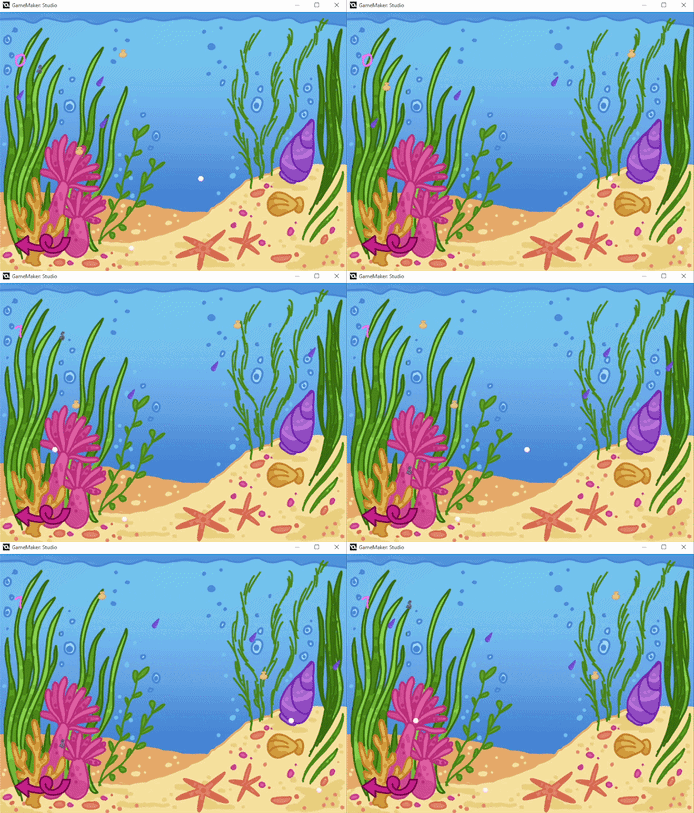
A gif of the Fishing Minigame in Joana’s Garden. It shows the lure being shot down,. catching a seashell. then going down again, failing to catch anything and going back up.
The fishing minigame I choose to do is probably the first ever thing I wrote in C# using Monogame. An earling bonding activity with my ex partner it is a game that is tinged with some sadness and some regret on my part . It is also a fairly simple game that showcases some important concepts in programming and one I knew I could implement in an hour or two. In fact it’s a game I had previously ported to Gamemaker on at least two different occasions and while every single time I had done so the method varied, because programming is a bit like translating in that 5 minutes difference mean two completely different ways to do the same thing, it is a game I am intimitely familiar with.
So what is the concept? You have a hook, which moves left and right before you press a button to launch it down where, if it picks something it comes back up and if it doesn’t it simply hits the bottom and comes back. Down below treasures (or fish) move left and right in a simple pattern simply bouncing the opposite way if they hit the edge of the screen. If I’m being honest it doesn’t mirror fishing, but rather crane games in how it plays, except there is no element of luck and the odds aren’t stacked against you. The key to the game is, much like hitting any target not to launch at where the thing you want to catch is, but rather where it will be. You have to take into consideration the time to travel there.

Screenshot of the Prototype of the fishing game. The background is a simple deep dark blue color. Sprites for seashells are incorrectly scaled and look blurry and the hook is barely visible. A giant red arrow pointing left takes a huge amount of space.
Still in Fishy game things got so complicated I had to create enums (or state machines). What are state machines? Well back in my younger days my logic would be something like this:
I want the hook to drop, and to be able to catch things, oh but it it needs to be up, and it can’t catch things. So “if the hook drops conditoin 1 = true” and then “if it’s coming up conditoin 2 = true” oh but, I need to see if it hit bottom so conditoin 3 = true, and then it can’t catch things so condition 4 = false.
And look at its most base form, thinking sand all computers are a set of 1 and 0, true or false. Basically just switches. It’s infinitively more complicated than that but in a fairly big game? I’d have stuff like condition 1, condition 2, condition into the dozens and then I’d have to do something like “if I want this to happen then if condition 1 is true and 2 is false and 3 is false and 4 is true and 5 is false and 6 is true and 7 is true and…” you get the picture. Messy, complicated. Though I enjoy my old school writing of code this was WAY too old school for me.
So state machines. Basically State Machines is what I should have used in jump rope. What if I had a state where the character is jumping and that changes the animation vs standing still? So you’d have character.standing and character.jumping? For fishy game I created an enum.
//you always define an enum between curly braces, like a moustache. So I’m creating the enum gamestate
// with the states seeking (when you are moving left and right), diving (when you are going down and can pick up stuff)
// caught if you’re returning up after catching something and up if you didn’t catch anything and you’re returning up.
//which means you can’t catch anything.
enum gamestate {
seeking,
diving,
caught,
up
}gamestate2 = gamestate.seeking //you can’t call on an enum directly. Something has to contain the Enum. In this case gamestate2
h_speed = 4 //speed to the left/right
down_speed = 5 //speed it goes down
Lure = 5 //this was a life system I abandoned
SCORE = 0image_xscale = .2 //when my artist (we’re getting to them soon!) delivered the art I had to scale it down to fit the game. this means it is now about a fifth of the original size (0.2 of 1), in the horizontal axis.
image_yscale = .2 //same but vertical axis. About a fifth of its size in height
Enum set, I was ready to do my STEP (or update in most engines)
//if the hook is in seeking mode it moves left. If it hits the edge of the screen it moves right. If it hits
// the right edge of screen it moves left
if gamestate2 == gamestate.seeking
{
{x -= h_speed
}if x < 32 {
h_speed = -h_speed
}
if x > 780
{ h_speed = -h_speed
}//when you press space it is now in diving mode, it starts moving down
if keyboard_check_pressed(vk_space) {
gamestate2 = gamestate.diving}
}if gamestate2 == gamestate.diving
{
{
y += down_speed
}//if it hits the bottom it starts moving up
if y > 585
{
down_speed = -down_speed
}//once it reaches the top again it goes back to seeking where it moves left /right
if y < 32
{
gamestate2= gamestate.seeking
}
}//if it is in caught mode it starts pulling up
if gamestate2== gamestate.caught
{
{
y -= down_speed
}//once it reaches the top add 1 to score and go back to seeking
if y < 32 {
SCORE += 1
gamestate2 = gamestate.seeking
}
}
You might notice that I don’t actually use gamestate.up here which is a bit of an error of my part. This creates the circumnstance where you can still catch the object if you’re moving up after hitting the bottom but, because I just invert the vertical speed that means the player now dives down instead of moving up. This is a bug I only caught and noticed after delivering the jam version. Luckily this jam has a polish phase where you get to use feedback to improve it. The correct code would be:
//if it hits the bottom it starts moving up
if y > 585
{
gamestate2= -gamestate.up}and then
if gamestate 2 == gamestate.up
{
down_speed = – down_speed
}
Which is a fix I plan to implement. Then on collision with an object
if gamestate2 = gamestate.diving
{gamestate2 = gamestate.caught
}
You see now that, since I never change the gamestate to gamestate.up you can catch pearls and sea shells even when you’re supposed to be going up. This is the first fix I have done in my polish phase and already implemented .
As for the code for the objects that spawn? It is just as straightfoward.
CREATE
//reflection is the value by which it moves left and right. It varies by object.
reflection = 8
image_xscale = .2
image_yscale = .2STEP
//move it left and right, check for edges, reflect (hence the name)
x -= reflection
if x < 32 {
reflection = – reflection
}if x > 780
{
reflection = – reflection
}//if the object is pulled out of the water, destroy itself, but not before creating a new one to replace it. whether object_seashell or object_pearl (obj_pearl) it depends on the specific object.
if y < 50 {
instance_create(400,600,obj_pearl)
instance_destroy(self)
}
In yet another example on why not properly setting gamestate2 = gamestate.up my collision check in the treatures relies on it being on gamestate2 == gamestate.diving
if obj_hook.gamestate2 ==obj_hook.gamestate.caught{
y = obj_hook.y
x = obj_hook.x
This explains the fact that you can still pick objects going up (because you’re still, in my original code. It really was the worst possible check to miss huh? I’m humbled by it all. At the time however I had just made 3 minigames in less than 10 hours and was feeling pretty good about myself. I told myself I would rest but I had not been laying down for more than 5 minutes when a new idea for a minigame came to my head. I couldn’t rest with the thought in my head. Disability pain kept me from sleeping and the idea hammering in my head meant I might as well write it. So I moved on to the next minigame.
APPLE (FLOWER) CATCHING
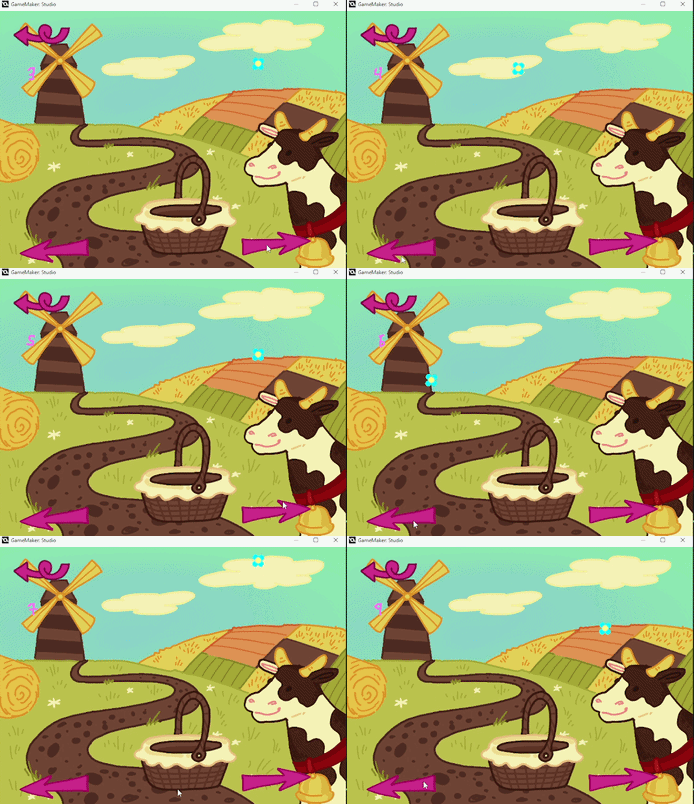
A gif of the Apple catching minigame in Joana’s Garden it shows several flowers falling down and the player clicking arrows to move a basket to catch them.
When coming up with ideas of games that were simple to implement and yet held the potential for fun I was reminded of yet another staple of my childhood the Sonic the Hedgehog LCD Mcdonald’s Toys. Although I had a Gameboy Color that was a device that I wasn’t allowed to bring with me to school. It had cost far too much and it was far too likely to go missing, even in the era of the Nintendo DS Lite. No, instead besides plenty of good books what I took with me for the 25 minute bus ride to school was one of those Mcdonalds’ Game and Watch style little lcd games. Though they were simple, simple enough to come for free with a children’s meal around 2004 they still held a sort of arcade fun and the promise of “just one more loop”. Later in life, much later in life when it finally hit the Nintendo Switch online subscription I would play the Game and Watch Collection games I had missed on Gameboy Color, remakes of 80’s Game and Watch games with a mario skin over it. And immediately, it became clear what the cheap sonic toy was emulating.
Though I weep for kids nowadays not getting such awesome toys with their Happy meals that style of Tiger Electronics, LCD style game held in it the key to one of my minigames. My consideration was this. 3 “rows” from where an apple falls randomly and then below an object you control with arrows where if it collides with the apple you “caught it” and gain a point. But if the apple goes too far down? Well that means you missed it doesn’t it? Reset the room. Simple, no need for much y manipulation, something I could implement in an hour.
I started by deciding what the 3 values of x (horizontal position) could be. Given the entire game takes place in an 800 by 600 space I decided that 200, 400 and 600 were fair enough. My initial idea was simple. Have a variable that goes from 1 to 3, and depending on its value modify the x position. Then have the arrows modify the variable’s value instead of the object’s x. Why? It’s both cleaner that way and afforded me greater control.
So there isn’t much to my “basket”.
CREATE:
SCORE = 0
Move = 2
Simply setting up an initial score and MOVE (which controls our position). Then:
STEP
if Move == 3
{x = 600 + 32
}if Move == 2
{x = 400 + 32
}if Move == 1
{x = 200 + 32
}y = 448 //sets how down in the screen the basket is
You might notice that I don’t put it in 200, 400, 600 etc but rather in 200 + 32, 400 + 32 etc. This is because the origin point of my sprite, where the math and collisions are based on is in the center of the sprite and my basket is 64 blocks wide. By doing it this way I ensure that it is not off center and can miss the apples. On why I did x = 200 + 32 instead of x = 232 however? Yeah, I have no idea. The last thing we need to be aware is that when the basket collides with the flower I add plus one to score.
But the real scruffy and hacky code comes in our obj_flower code. Our apple. There are cleaner ways to write this. There are ways to write this code in about a third of the code, or even two lines and yet as I coded without considering, just following my gut and making it work in an old school way I came up with a solution that, though not good code anywhere works. I am sure most programmers, were they to read my code would cringe at how needlessly complicated it is. However, In a way I am rather proud of the rather ingenious hacked way it was put together.
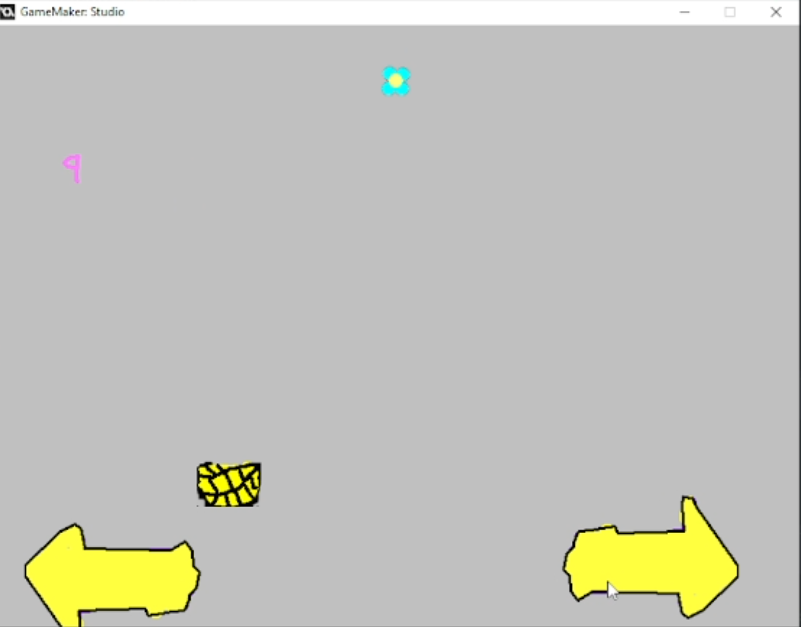
Screenshot of the prototype for the apple (flower) catching minigame. Two arrows crudely drawn take a majority of the bottom of the screen. The basket object is blurry and poorly drawn. Score is on the left. The background is just the default gray color. However all features are in place and just awaiting final art.
We start by creating our variables, of course.
STEP
where = 2
when = 100
where_x = 0enum apple {
create,
falling
}
falling_speed = 4
fallingstate = apple.create
live = 5
We already saw what an enum is and falling_speed is by itself pretty obvious. Live is also self explanatory though I can already say it went unused. What is interesting is where, when and when_x.. Why are there three variables with such close names? Well, in my step event…
if fallingstate == apple.create { //if we’re at the state where we create an apple
when = irandom(128) + 52 //get a random full number from 0 to 128 and add 52 to it
where = irandom(2) // pick randomly between 0,1,2.
fallingstate = apple.falling //change state to now the apple falls.
}if fallingstate == apple.falling
{//similar code to our basket. Decides where the apple will fall.
if where == 0
{where_x = 200
}
if where == 1
{where_x = 400
}
if where == 2
{where_x = 600
}y += falling_speed //makes the apple fall.
if when <= 0 { //when the timer reaches 0, actually create the flower
when = 0
instance_create(where_x,32,obj_flower)
}
when -= 0.4 //remove time from the timer every frame.y += 1.2 //make the apple fall down, this is a hard set number and actually a repeat on logic from earlier. It does add to the falling but I’m unsure why not have it added to falling speed as in y+= falling_speed + 1.2
if y > 480 //if the apple is past the basket
{obj_basket.SCORE = 0 //reset the score in basket
fallingstate = apple.create //reset the logic
falling_speed = 4 //reset the falling_speed to starting speed
y = 32 //reset where the apple is
x = where_x //pick the last available_x
}
}
And then on collision with the basket:
fallingstate = apple.create //reset back to starting phase
falling_speed += 1 //add speed so it falls faster.
x = where_x //picks the last available x
y = 32 //resets how high on screen we are.
Why is it so weirdly convuluted? Why not skip where and where_x and have one single variable and manipulate the x directly like I did with basket? I have no idea. When I get to this state of solving problems using math, and programming logic goes (ironically enough) out the window and I become so stubborn as to not look at how things are better executed to find my own solution. It’s not code I’d give anyone else to edit. If I were doing profissional code I’d follow good code practices that make it easier to edit but it works. And that’s the most important part isn’t it?
Up to this point you may have noticed that I actually haven’t been drawing the score we obtain to screen. There is a separate object in all my rooms that handles this. The idea is simple, I manually drew the numbers 1 to 20 in a cute way (rather than getting a font, because I like to make things complicated) and basically I use image_index as the score changes. I wrote it all by hand which has to be the worst possible way to do it but it was quick and efficient.
STEP
if obj_basket.SCORE == 0 {
image_index = 0
}
if obj_basket.SCORE == 1 {
image_index = 1
}
if obj_basket.SCORE == 2 {
image_index = 2
}
if obj_basket.SCORE == 3 {
image_index = 3
}
if obj_basket.SCORE == 4 {
image_index = 4
}
if obj_basket.SCORE == 5 {
image_index = 5
}
if obj_basket.SCORE == 6 {
image_index = 6
}if obj_basket.SCORE == 7 {
image_index = 7
}
if obj_basket.SCORE == 8 {
image_index = 8
}
if obj_basket.SCORE == 9 {
image_index = 9
}
if obj_basket.SCORE == 10 {
image_index = 10
}
if obj_basket.SCORE == 11 {
image_index = 11
}
if obj_basket.SCORE == 12 {
image_index = 12
}
if obj_basket.SCORE == 13 {
image_index = 13
}
if obj_basket.SCORE == 14 {
image_index = 14
}
if obj_basket.SCORE == 15 {
image_index = 15
}
if obj_basket.SCORE == 16 {
image_index = 16
}
if obj_basket.SCORE == 17 {
image_index = 17
}
if obj_basket.SCORE == 18 {
image_index = 18
}
if obj_basket.SCORE == 19 {
image_index = 19
}
if obj_basket.SCORE == 19 {
image_index = 19
}
if obj_basket.SCORE == 20 {
image_index = 20
}
There are two problems with this. One it doesn’t scale well, 20 is doable but what if I had drawn numbers up to 99? Would I have to edit it all by hand? Two it’s prone to errors when copy pasting. When you have dozens of the same code slightly changed it’s easy to miss stuff. Indeed for the longest time I had
if obj_basket.SCORE == 14 {
image_index = 0
}
rather than the correct image_index = 14, because I copy pasted my first one if score == 0 image index = 0 and forgot to change one of the values.
A better way to do it, automating it a bit would be something like this. Two lines.
STEP
SCORE = obj_basket.SCORE
Image_index = SCORE
But such is the spaghetti code for gamejams.
I got a prototype early version of the game working and was feeling rather proud of myself when I was contacted by an artist looking for a team. It actually was a bit of community collaboration. Someone tagged him because they were looking to make a dress up game and i had mentioned my Dress up minigame while showcasing the apple catching minigame. I had not considered my code to be particularly good, but the truth was that at the end of the first day of the jam I already had 4 minigames ready to go. Which was good because my next challenge was a game I always wanted to make but had never actually tried to make. Breakout. In the next session I’ll talk a bit about the art and working with our artist. And yes. This is stalling before I get to Breakout I fully admit. But it’s an interesting story that speaks to how I collaborate with others and how the gamejam was elevated to a game I’m genuinely proud of.
SASHA joins the Fight!
Given the quality of my art during the prototype I would be happy for any artist to join me as my art was very much programmer art. Though I am fairly consistent with my pixel art, enough to be an artist in the hopefully released commercially Stealthy Dicey DX when creating a prototype I had prioritised having something functional over something pretty. That I would have accepted pretty much any help however did not mean that I did not have standards, and Sasha met them, and surpassed them with flying colors.
Having linked me to his itch.io page there was a particular game of his that immediately caught my eye. Made as a final project for his bachelor’s degree the way it handed sensitive topics fairly close to my heart touched me and inspired me. It wasn’t just that the art was great, and fit the themes. No, in Sasha I saw someone with similar life experiences and views to me, that had the same sensitive heart and awareness. Though their art in that game had been disturbing the examples they showed me of their other art were cute and fit pefectly with the style of thing I wanted to make.
Whenever I work with someone there is always some hesitation and dread that fill me. More than my ansiety, it’s the thought of depending on someone, and worry that they won’t be able to meet my needs, leaving to an unfinished game. This is a bigger problem in game jam games, where we have a very tight deadline, and I had had to drop several projects because after updating some art or music now the style didn’t fit between my assets and the few assets a person would give me. That didn’t happen here. With Sasha everything went smoothly. I think we both felt a bit self conscious, me, put in a position of project manager asking for, what to me, seemed like a ton of assets and them worried that they were being slow, or otherwise not very available. We entered this game, the game socially awkward people get where we both reassure the other person they’re doing great and we apologise for our needs.
Within 2 hours we had established a friendship and discussed not only the game but other topics ranging from politics to our childhood. Given I normally work game jams solo it felt good to see them praise my programming and marvel at my speed. Meanwhile I gushed about their art and couldn’t help but implement it as soon as possible. I had been taking videos every time I added a new feature or changed something, giving me a sort of timeline of the project and seeing it grow day by day was satisfying.
Sasha started by asking me for some inspiration. I had earlier grabbed a bunch of screenshots of early 2000s girl games CD games, mostly flash games and handed them to him. Within two and a half hours he came up with what he called a style exploration, the same character drawn half a dozen different ways.
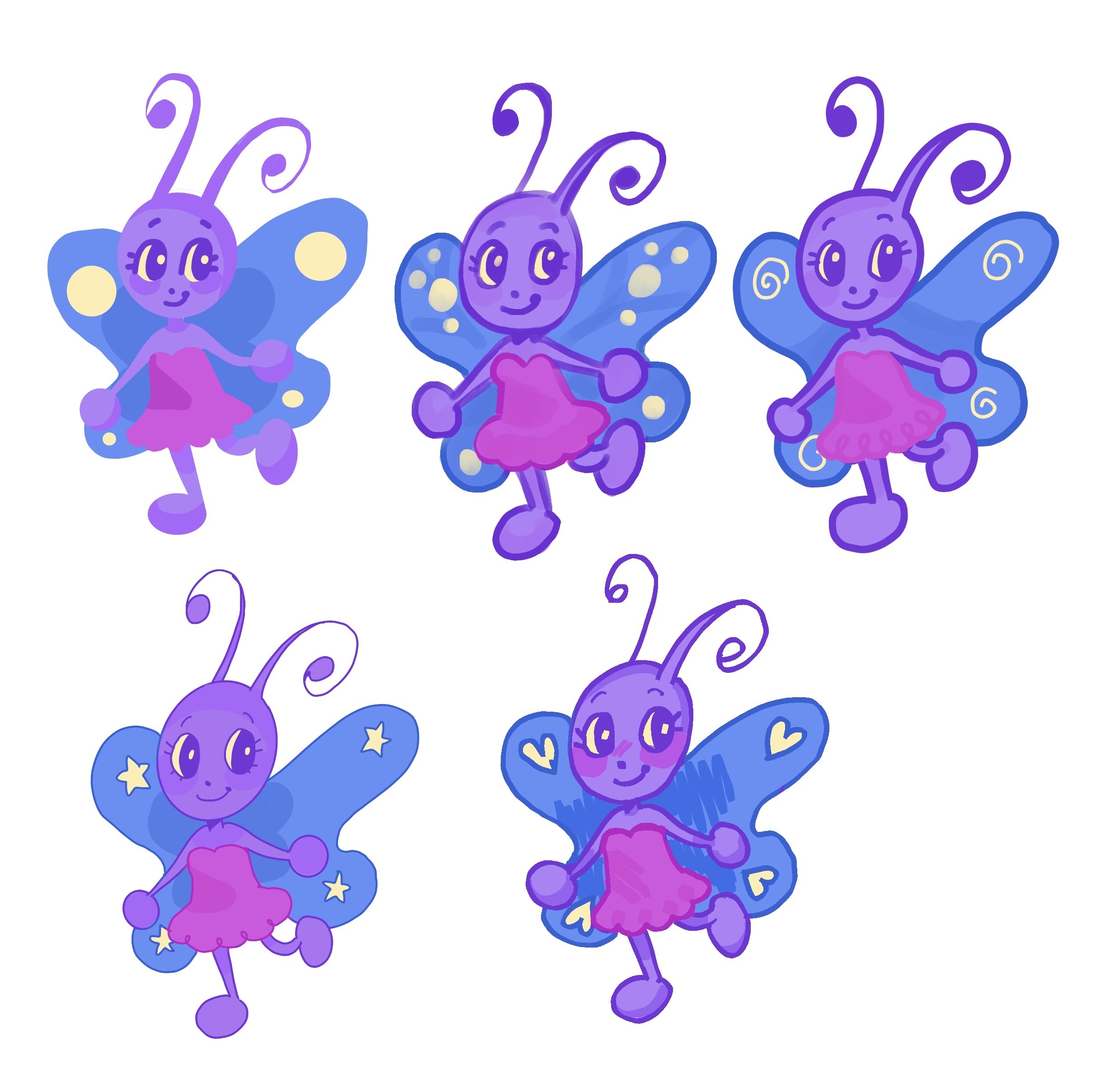
The same character, a moth gearling wearing a dress,drawn 5 different ways. Every drawing alternates in outline thickness, shading, the eyes, and has small differences. For example in one the wings are bright yellow balls while in other the wings have smaller spirals, dot prints, stars or hearts, a more withish color.
Their talent astonished me and very quickly we moved on to the dress up game where he went above and beyond. From my 3 hats he made 6, from my 5 pieces of clothing he made 8, and so on and so forth. This seemed the game he was genuinely most excited for and it showed in how quickly he got me those pieces.
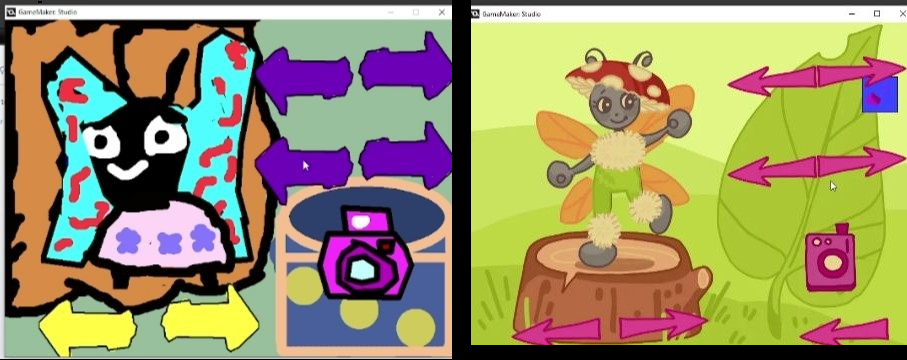
A comparison of my art on the left with Sasha’s art on the right. My art features inconsistent colors, bugged out eyes and scren clutter. While theirs features actual knowledge of color theory and anatomy, and their pieces of clothing actually fit their character rather than floating above them. They’ve also improved the ui and given a background that fits the theme of the game.
Over the next day and a half we would update every single art asset that existed. From arrows, to sprites the game got a visual makeover that made it look like something that could actually be shipped comercially. I was rather proud of it and started feeling ownership of the project. They are as much, if not more a part of the project as I am and I am glad to have gained a friend from participating in the jam. But while they were improving my art I was toying with a game that I wanted to try and discover how to make. The dreaded Breakout.
BREAKOUT
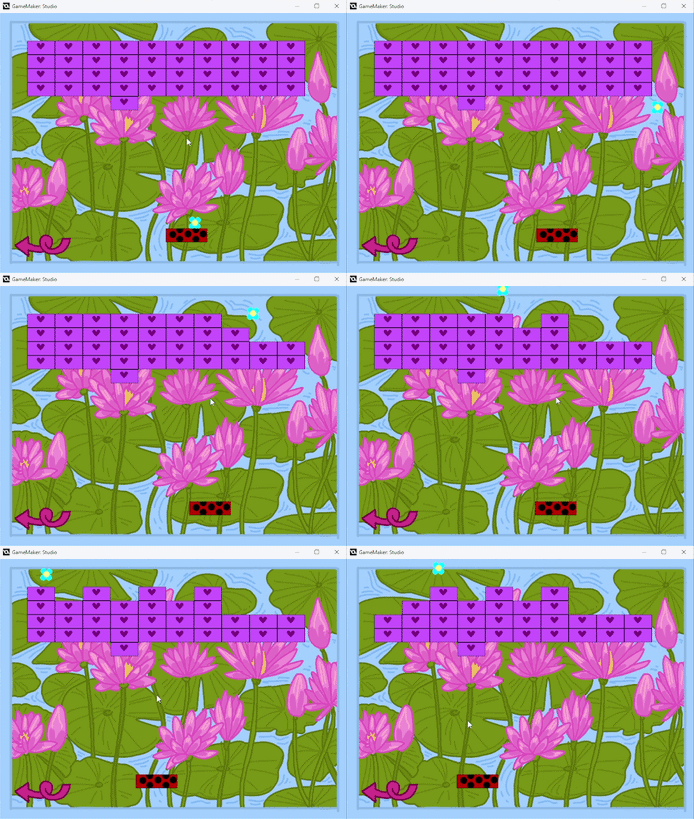
A gif of the Breakout game in Joana’s Garden. It shows the ball , flower shaped hitting the paddle then bouncing off a wall and destroying several blocks.
I don’t like arrays. Conceptually, of course I know what they are and how to use them, alongside their close cousin, lists but arrays are just something I don’t particularly enjoy. Maybe it’s the fact that when they were first described to me the person decided, for whatever reason not to start with one dimensional arrays but two dimensional arrays that could contain themselves, but they just didn’t click with me. The concept of a variable that can hold multiple things, a chest of chests is easy enough to understand but in my coding I have fought to not have to use them.
This is, of course a problem because the traditional way of making Breakout involves arrays. When I choose to try and do Breakout I knew that this would be a moment that I’d have to pick my approach on. If it came to it, and they were needed I would have used them. I’ve used them in C#, the comparative way to do it in Gamemaker is so simple it makes me laugh but i would rather not if I didn’t have to.
At first I considered using a for loop. A for loop stops the program and executes itself until a certain condition is met. So I could for example say “for (count = 0; count < 5; count++). This looks confusing. But let me explain. It first sets count as 0, then the condition, count has to be 5 to break out of the loop. count ++ simply increases count by 1 whenever we finish a loop.
This could be used, fairly well to create blocks. I’d just set the condition, and how to create the block in the loop and the game wouldn’t advance until I had it done. But something about it felt off. I can’t explain it, but I grew up with actionscript and Blitz and this was just not how we did stuff. No I was used to a much more manual way. I wanted to do it the way I used to do it and so I decided to try and do it that way. This is what I came up with.
CREATE
//number of blocks checks how many of it exists in the world
//literally instance_number,numberofblocks = 0; // total bricks created
row = 10; // bricks per row
downies = 5; // number of rows
spacing_x = 64; //space between them
spacing_y = 32; // space between them but down
start_x = 64; // where we start
start_y = 64; // where we endwhile (numberofblocks < 50) // 50 because 5 rows and 10 columns
{
// bricks = number of bricks, and then row is zero
row = numberofblocks
downies = 0if (row >= 10) { row -= 10; downies += 1; } //if number of bricks is bigger than ten, go down one row (downies) and populate right to left)
if (row >= 10) { row -= 10; downies += 1; }
if (row >= 10) { row -= 10; downies += 1; }
if (row >= 10) { row -= 10; downies += 1; }x = start_x + row * spacing_x //x starts at start_x + number of blocks * spacing_x (so for example 64 + 2*64 which is 64 + 128/
y = start_y + downies * spacing_y //same but yinstance_create(x, y, obj_block) //finally create the object
numberofblocks += 1 //if we still don’t have the 50 objects, after running that loop? Add one more to the number of blocks
It sounds more complicated than it is. Basically we have a number of bricks we want per line. When we hit that we go down one line and make that same number of bricks. We decide where to put the bricks by starting at 64 and then the number of the block * 64. This naturally increases because as it goes 1,2,3,4,5,6,7,8,9,10, it goes 64 + 64 * 1 = 64 + 64 = 128
…and so on all the way to 64 + 64*10 = or 64 + 640 = 704. Because this was in the CREATE, which runs once at the start everything is done at once. This was put on an obj that handles the spawn.
I then created a paddle with the simplest possible code.
STEP
x = mouse_x //the paddle is where the mouse is in terms of left/right
if x < 96 { //if the mouse goes too far left the paddle doesn’t follow
x = 96
}
if x > room_width – 96 { //if the mouse goes too far right the paddle doesn’t follow
x = room_width – 96
}
Simply making it follow the mouse.
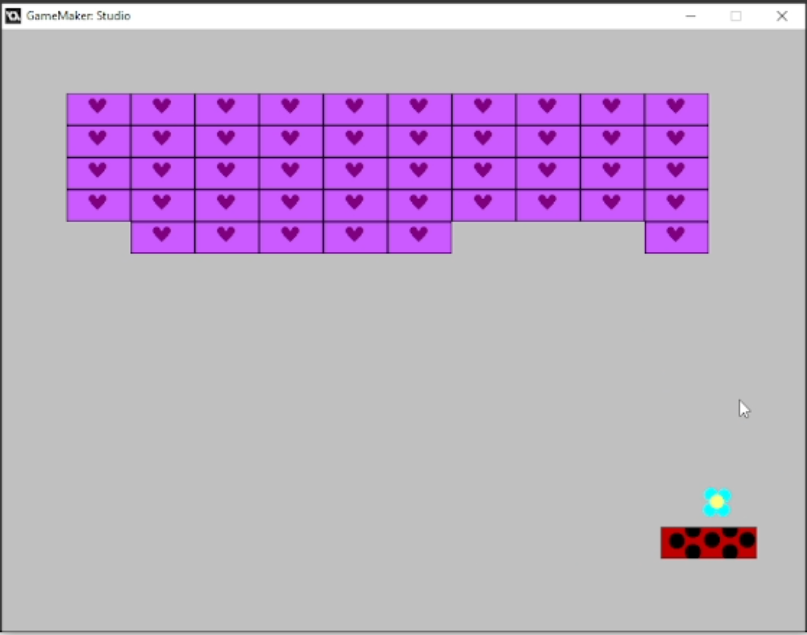
Prototype of breakout. Unlike evrey single other prototype the art for the blocks, paddle and ball remains the same. All that is missing is the background art, yet to be added. Background is the default gray color.
With the ball I had the option of making it reflect at angles depending on where it hit the paddle but I decided that for a simple implementation of Breakout that was overkill, instead I simply did this.
CREATE
SPEED = 6 //how fast it moves
dir_x = 1 // left/right : 1 = right, -1 = left
dir_y = -1 // up/down : -1 = up, 1 = down
And then
SPEED
x += SPEED * dir_x //x + SPEED * 1 or -1
y += SPEED * dir_y //x + going up or down// Bounce off walls
if x < 32 { //if it hits left
x = 32
dir_x = 1 //bounce right
} {if x > room_width – 32 //if it hits right
{
x = room_width – 32 //bounce left
dir_x = – 1
}if y < 16 ( //if it hits top
dir_y = 1} //bounce down// Ball falls below paddle and resets resets
if y > room_height + 32
{
x = obj_paddle.x
y = 416
dir_x = 1
dir_y = -1
SPEED = 4 //reset speed
}if place_meeting(x, y, obj_paddle) //if it hits the paddle
{
dir_y = -1 //bounces up
SPEED += 1 //moves faster
}var brick = instance_place(x, y, obj_block) /if it hits the block
if brick != noone
{
dir_y *= -1 //change direction
instance_destroy(brick) //destroy the brick}
//max speed is 14
if SPEED > 14
{
SPEED = 14
}
Thus creating a simple version of breakout without arrays.
Making a Breakout style game had been one of my goals for several years, and yet my fear of arrays, non logic as it might be had stopped me from doing it. But the goal of jams is not to remain with the safe and tried but to risk it, while keeping the scope small. And though i could have simply placed the obj_block in the room one by one and altered my code, I’m rather proud of the solution I came up with. Of course if you’re going to play a Breakout or Arkanoid style gamemaker game you should play Chico’s Rebound (which I worked on), but I think it works well for the game jam.
NOW THERE’S SOUND
With Breakout mostly working as intended and Sasha working on his art I decided to tackle one of the issues I still hadn’t tackled. Sound. Most of my games are, by the nature of fast hyperfocus based work, silent in that they don’t have sound or music. Nothing, nada they’re silent. For this gamejam I wanted to change that.
The only time I had added sound to a game I had placed the object that played the sound in the first room. Problem was when the player died and the room was rest the music started playing twice at the same time and that continued for the entire time the player played. I knew that I wanted a way to change tracks, play them and stop them from playing. Gamemaker already had the built in function to play sounds I imported but I needed a way to control it. It took a lot of thinking, to make sure the music didn’t repeat, but I ended up coming up with this:
CREATE
music_played = false //has the music played
previous_room = room //what room are you in
My idea is that it would check if we had changed the room, so the music or if it had already played and then play based on that. I implemented a check to see if we were in the same room as the previous room (to know when to change the music but that meant the music never played in the first room. I quickly created a room to only have it load obj_music and “hid it” by making the background be an exact copy of the splash screen. For all intents and purposes that room doesn’t exist.
STEP
//if it’s the hidden room in the title screen go to the main menu
if(room = room7) {
room_goto(room_menu);
}
//if you’re not in the previous room then music still hasn’t played
if previous_room != room
{music_played = false
previous_room = room
}
//if music still hasn’t played…
if music_played = false{
//this checks what the room we are in is
if room = room_breakout
{
// stop any other music that might be playing
audio_stop_sound(snd_breakout)
audio_stop_sound(snd_dressup)
audio_stop_sound(snd_menu)
audio_stop_sound(snd_fishy)
audio_stop_sound(snd_basket)
audio_stop_sound(snd_jump)
audio_stop_sound(snd_maze)// play this music looping
audio_play_sound(snd_breakout, 1, true) // 1 = priority, true = loop
}
if room = room_menu
{
// stop any other music that might be playing
audio_stop_sound(snd_breakout)
audio_stop_sound(snd_dressup)
audio_stop_sound(snd_menu)
audio_stop_sound(snd_fishy)
audio_stop_sound(snd_basket)
audio_stop_sound(snd_jump)
audio_stop_sound(snd_maze)// play this music looping
audio_play_sound(snd_breakout, 1, true) // 1 = priority, true = loop
}if room = room0
{
// stop any other music that might be playing
audio_stop_sound(snd_breakout)
audio_stop_sound(snd_dressup)
audio_stop_sound(snd_menu)
audio_stop_sound(snd_fishy)
audio_stop_sound(snd_basket)
audio_stop_sound(snd_jump)
audio_stop_sound(snd_maze)// play this music looping
audio_play_sound(snd_dressup, 1, true) // 1 = priority, true = loop
}if room = room_basket
{
// stop any other music that might be playing
audio_stop_sound(snd_breakout)
audio_stop_sound(snd_dressup)
audio_stop_sound(snd_menu)
audio_stop_sound(snd_fishy)
audio_stop_sound(snd_basket)
audio_stop_sound(snd_jump)
audio_stop_sound(snd_maze)// play this music looping
audio_play_sound(snd_basket, 1, true) // 1 = priority, true = loop
}if room = room_fish
{
// stop any other music that might be playing
audio_stop_sound(snd_breakout)
audio_stop_sound(snd_dressup)
audio_stop_sound(snd_menu)
audio_stop_sound(snd_fishy)
audio_stop_sound(snd_basket)
audio_stop_sound(snd_jump)
audio_stop_sound(snd_maze)// play this music looping
audio_play_sound(snd_fishy, 1, true) // 1 = priority, true = loop
}if room = room_pet
{
// stop any other music that might be playing
audio_stop_sound(snd_breakout)
audio_stop_sound(snd_dressup)
audio_stop_sound(snd_menu)
audio_stop_sound(snd_fishy)
audio_stop_sound(snd_basket)
audio_stop_sound(snd_jump)
audio_stop_sound(snd_maze)// play this music looping
audio_play_sound(snd_jump, 1, true) // 1 = priority, true = loop
}
}
music_played = true
Since I was using free stock music I went overboard and got a ton of music. The truth however is that the type of game I had grown up playing had one, maybe 2 midi songs. For that I needed a musician, and to have a musician I needed to be able to showcase that my game had sound, which it now did. My music problem solved mostly by the engine’s own built in tools I was ready to move on.
MAIN MENU
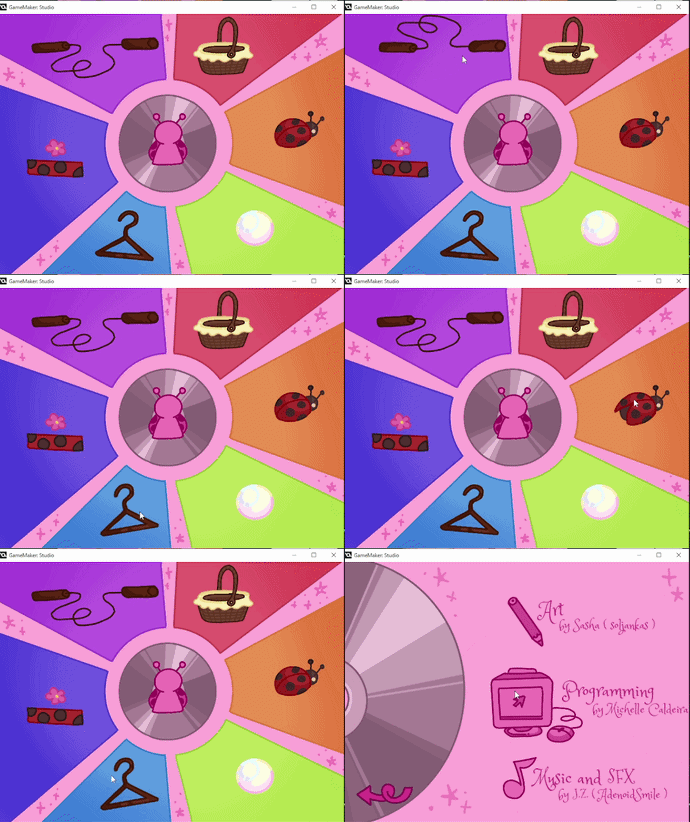
A gif of the Main Menu of Joana’s Garden it displays the cute animations that play when you hover over an option
Up to this point the main menu was just a gray screen with nothing to indicate where and how you could advance. By this point we already had most minigames complete, art and all and needed a way to get to them. With Sasha, awesome man he is giving me some great background art for the menu and assets to use for the menu however I got to building it.
Our menu is divided into objects each with the same code. I ended up reusing most of the code from other sections of the jam, as is tradition in jam games for animation and the like. Still the objects look like this under the hood:
CREATE
image_index = 0
animate = 0STEP
//if the mouse is over the object, go to next frame
image_index = animate
animate = 0
if position_meeting(mouse_x,mouse_y,obj_menu1) {
animate = 1
}MOUSE CLICKED
//on mouse click go to a room, with the room name changing based on object
room_goto(room_breakout)
As I finished the menu a nice surprise! A musician, J.Z offered to do some music for our game. Quickly I brought him in and gave him the specifications, obviously midi, loopable, bit crushed. He also offered to make sound effects, which I was grateful for. It seemed my game (our game) would not be silent this time.
MAZE GAME
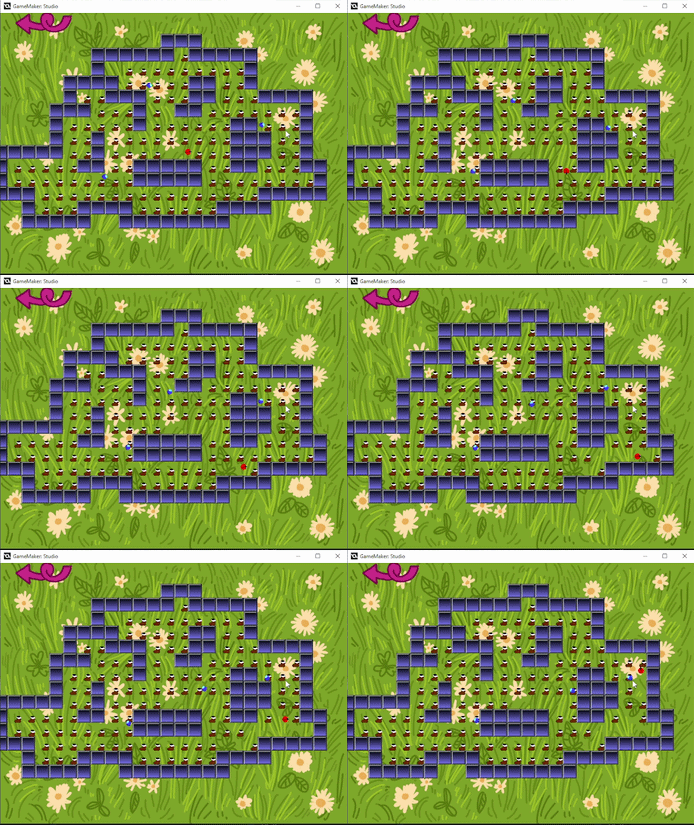
A gif of the maze game in Joana’s Garden. It displays the ladybug moved through the maze and collecting several boots.
We were on day 5 of 6 in the jam and I had grown sick. I had been in the hospital, for unrelated reasons until close to 7pm and I was thanking the stars I had frontloaded so much of my work because I was shaking, muscle pain making it hard to focus. I had told myself that there would be 6 games, and even designed the UI around that and I still needed to make a game. Well at least it felt like I should try and make it.
I considered several ideas I could implement in under an hour. Missile commander, Flappy Bird, even Snake (another game I hope to make one day). All of them felt like too much work. My team had urged me to rest and not push myself, and yet I still felt like this was something I needed to do. Though no one was expecting me to, I was in too much pain to sleep and I had my laptop in my lap as I sipped hot tea anyway. I was waiting on music from J.Z and had nothing much to do because I had forgotten to ask Sasha to draw me assets for the credits.
I had in the beginning planned to make a maze game. Seen from overhead in a blocky maze the idea was simple, collect the dots and avoid ghosts. Many people refer to such games as Pac-man clones but I’d rather think of them as maze games.
But coding pathfinding seemed hard in my state. So i just made it the simplest possible way. I drew up my “dots” (boots) based on an old Portuguese folk song, made the blocks impossible to pass through and gave the simplest ai possible to everyone. Ghosts simply headed toward the x and y of the ladybug and bounced of walls, making it possible to trick them and use walls as shields. The ladybug simply gets rotated/moves based on arrow keys and when the ladybug makes contact with a boot it disappears. The goal of the game is to get all the dots, which pushes you back to the main menu.
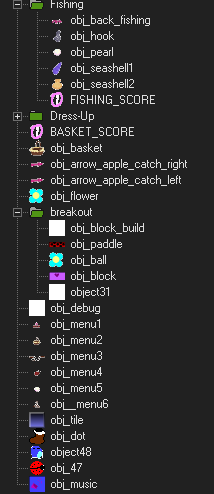
A list of objects for the games. As one advances it is possible to see impatience and tiredness set in as objects go from being neatly labelled obj_thing to object number. Or variations betwen object and obj.
It felt like a type of game I would have made when I was learning Gamemaker, not the type of thing I had been coded but I was tired and only wanted to rest. I had already, foolishly translasted 1600 words despite my exhaustion and just wanted to fall dead. So here’s the code I wrote.
STEP
//depending on what key you press you get rotated and move a certain wayif keyboard_check(vk_left)
{x -= 4
image_angle = 180
}if keyboard_check(vk_right)
{x += 4
image_angle = 0
}if keyboard_check(vk_up)
{y -= 4
image_angle = 90
}if keyboard_check(vk_down)
{y += 4
image_angle = 270}//if there are no more dots go to the main menu
if instance_number(obj_dot) == 0
{
room_goto(room_menu)
}
I was exhausted and probably shouldn’t have been coding anyway. I actually checked the wrong object before (object48) and didn’t even notice it because I didn’t test my code. Satisfied it kinda worked I went to sleep.
CREDITS! FINAL POLISH! FINISH LINE
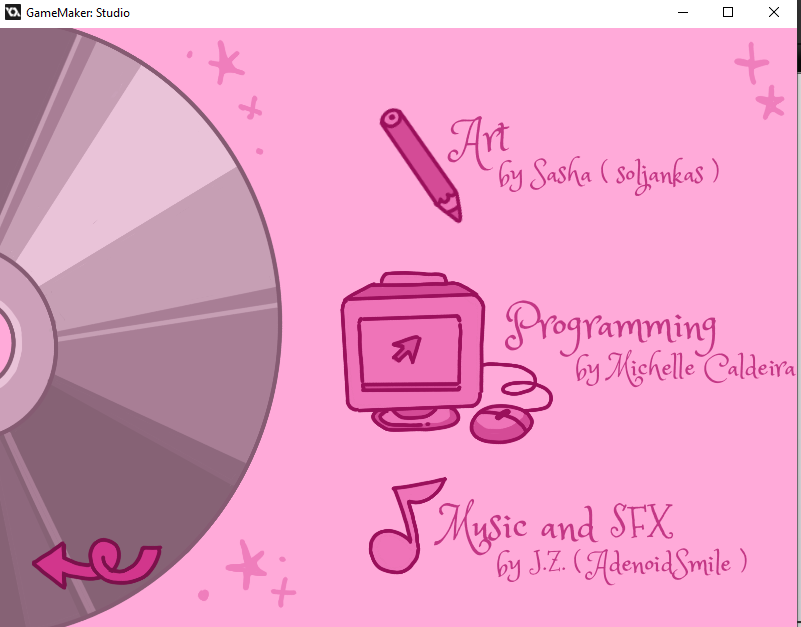
The credits for Joana’s Garden. They read :
Art by Sasha (soljankas)
Programming by Michelle Caldeira
Music and SFX by JZ
(AdenoidSmile). Next to each name is a cute little icon of their discipline. A pencil , a 90s style computer monitor and a music note.
As I woke up feeling well rested, because going out means I always get a good night sleep, I found that there was very little that I still needed to do. There was the credits, but that was basically just lining up assets once I remembered to ask Sasha for sprites. Then there was updating the music, since while I slept the musician that had contacted me had sent the first version of it. Since we were only getting two pieces of music, the play music code became a simple else statement, where if you’re in the room with the main menu, you play that song ELSE you play the gameplay theme.
There wasn’t much left for me to do but to tighten up a few loose ends here and there and make some polish. I fixed the code for Fishy game so that it actually worked as intended, with the hook no longer getting lost at the bottom of the sea. I added a randomise button to the dress up minigame. I fixed a bug in the jumping rope minigame where the rope got stuck in place. I chatted with Sasha, the new friend and artist as they worked on the cover and final touches.
Most of the day was a matter of waiting. Waiting for the final pieces of music. Waiting for the final art. I had had such a rapid rythm, a rythm that exhausted me the first 2 days where I had made 4 minigames, that I mostly felt a kind of weird nervosness at the thought of finishing, while I waited for stuff. Because several of the games had no ending, and because I had only made score go up to 20 I decided to make it so when you run out of blocks in breakout, get the last boot in the ladybug maze game or get your score to 20 in the fishing, jump rope or flower catching mini game you would return to the main menu having “won”. I considered adding a sticker, or a star next to the minigame to indicate you had beaten it, and then implementing a save system but wisely decided that, 14 hours from the end of the jam it was probably the wrong idea to expand our scope. Though I work fast, I should really be focusing on polish, not new features until the last hour.
It was around this time where we finally picked a name for the game. Joana’s garden. The thinking was simple. Joaninhas are the portuguese name of ladybugs, little Joana. Our game featured several ladybug themed games, so..
It was around this time I actually got the music back by J.Z and he knocked it out of the park! I was glad to have it in the game. Since he also provided sound effects I was happy to put them in their correct spots.
And that was it done. This was the biggest game I’ve ever worked on solely as a programmer. There were several examples of “bad code”, “fix it later code” and even bugs that made several of my games not work as intended until I fixed them. I have done nothing on Stealthy Dicey this week, and I think I’m going to collapse for 18 hours. But I did it. I programmed an entire game. I had a design idea, I choose the correct scope for the jam. I collaborated with other people and I managed to pull it together.
There are several things in my previous games that I feel proud of. – The actual game design of Rotaty Bunny, the message and story in The Little Space Shooter that Could. But actually spending 5 days doing a game, planning scope and deciding what was needed rather than just stopping after 8 hours because I wanted to do something, anything? It felt nice. Part of me worries that I will be unable to do more of those short little games because I can see what can actually be accomplished through I also know that, though I might not as publically post them my hyperfocus bursts are such more are sure to follow.
I approached my fellow team members at Atelier Cassette, the co-op, and gaming studio which we publish several of our games under and asked them if they felt comfortable in me publishing it under that label. Maybe it was the fact I had been spamming them with screenshots and videos for days. Maybe it was my enthusiasm but they readily agreed. This is now the newest game under Atelier Cassette. And if that doesn’t speak to my confidence, that I would risk asking for approval to use that name I so treasure and with which I’m creating Stealthy Dicey? I don’t know what will.
It was a good week. And it is a good game. And now? Now I’m going to crash 18 hours.
YOU CAN PLAY JOANA’S GARDEN HERE