
In what is quickly becoming a pattern sometimes I sit down for 6 to 8 hours and I end up creating a new game, or otherwise coding something that can VAGUELY be consided a game. They’re never very polished products. They’re never playtested or otherwise made to be great but they’re something to amuse myself for 5 minutes. My usual idea, that these are 1 or 2 mb games that can fit in an email and mirror those games that came in 1001 games in one CDs and such is still a design perspective that I still very much limit myself to. And because after 8 hours, just past midnight I finally managed to create somewhat of a Frogger clone, why not discuss it?
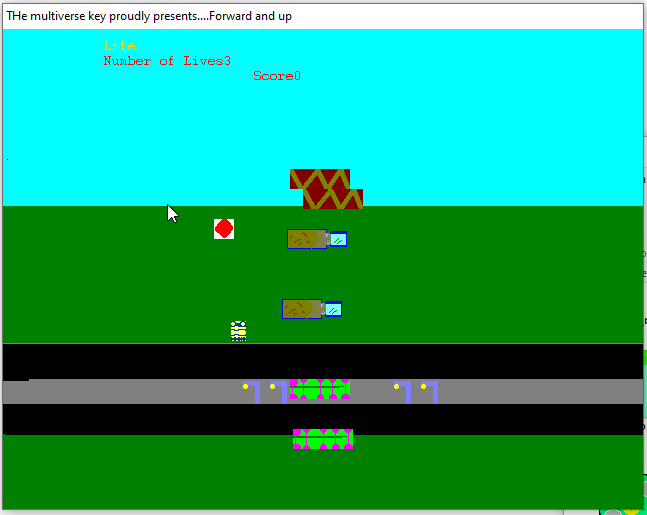
Screenshot of 2012’s Forward and UP. Michelle’s first “big” attempt at a game. Rather amateurish graphics that don’t mirror and a minion looking main character.
I started this journey at 15:53. When I joked with a friend that I would make a game in an hour. Bold, overly confident and somewhat boastful? Perhaps but I really did feel that confident. The first “big” game that I had ever attempted to make had been Frogger, in Blitz Basic around 2012. Not understanding the why and the fundamentals of design I made it so you could move freely and were not set to move in a pattern. That made it both super easy and super hard at the same time.
This time, however, I decided that I was going to figure it out on my own. When it came time to design my character I quickly doodled a spider. Really a big circle with some tentacle like sprouts and one or two pixels serving as eyes. Getting it to move wasn’t hard. Just keyboard_checked_pressed and remove or add move_speed in the x and y axis. Pretty standard stuff, the kind that all my games are made of. Really these 8 to 24 hour game projects where I code 500 or 600 lines of code and have something are really not that well made code wise, but I do share the code in case someone is interested. Still there is not much to it.
if keyboard_check_pressed(ord(“A”)) or keyboard_check_pressed(vk_left)
{image_angle = 270
image_animate += 1
obj_frog.x -= move_speed
}
if x > room_width- 8 {
x = room_width/2 – 8
}if x < 8 {
x = 8
}if image_animate ==1 {
image_animate = 0
}if keyboard_check_pressed(ord(“D”)) or keyboard_check_pressed(vk_right)
{image_angle = 90
image_animate += 1
obj_frog.x += move_speed
}if keyboard_check_pressed(ord(“W”)) or keyboard_check_pressed(vk_up)
{image_angle = 0
image_animate += 1
obj_frog.y -= move_speed
}if keyboard_check_pressed(ord(“S”)) or keyboard_check_pressed(vk_down)
{image_angle = 180
image_animate += 1
obj_frog.y += move_speed
}
Quickly designing some cars the next thing to do was to make them move. This was a more complicated prospect since, unlike the original Frogger where they screen wrap I wanted them to be able to turn direction. It wasn’t image_angle that was the issue, but rather getting them to turn around. I played around with some ideas. Reversing movement speed when they went past a certain place, or edge of the screen, reflect them or otherwise get them to move. I struggled with it for about an hour. At first they would get stuck in the edges of the screen. Then they would not move at all.
I had figured out if I had a reflect value that I could add to x, or y they would then turn if I reversed reflect. The problem was that while my logic was correct my math wasn’t.
I attempted
If obj_car1.x < room_width – room_width + 16
{
obj_car1.x += reflection
reflection -= reflection
}
But all that did was to make it stall. I wasn’t updating the car movement every frame, only if it was at the edges. Then when I did have movement every frame the logic simply reversed it for one frame (where it was under room_width – room_width + 16) and we were back to the same problem.
What I had wanted to do, and eventually figured out was that I wanted to do this.
x += direction1
if x > room_width – 16
{
direction1 = -direction1
image_angle = 180}
if x < 16
{direction1 = -direction1
image_angle = 0}
With direction1, direction2, direction3 etc having different speeds.
There are a few things to note here. First of all I got rid of room_width minus room_width + 16 and simply put 16 there. Because those were nullifying each other so why even do that? Second I replaced obj_car1.x with x. Why? One of the quirks of gamemaker is that x refers to the instance, the one you’re controlling but obj_name.x refers to all the objects. What did this mean, it means even when I had it figured out all the cars moved to the exact same x, so it looked like there was only one car.
By this point I re-used the same logic with direction3, direction2, direction4 etc for the logs, turtles and other car, while slowly increasing their speed. I was 2 hours in and feeling pretty good. No connections yet but I had something that resembled Frogger, with logs and stuff moving left and right. Even if some of my logic was different (with reflections instead of screen scrolls) and my spider moved fairly slow that was something I could count as being done soon right?

The Frogger game (640 x 480) opened on Gamemaker, showing the visible structure of objects and gameplay. Cars, logs and turtles are visible though zoomed out.
I had toyed with the idea of making the game Lisbon themed and had designed the walkways as Calçada Portuguesa, white and black and even made a few mockup sprites for famous Lisbon monuments. At this point the idea was that I would make several levels with several elements but I quickly dropped the idea and decided I just wanted to try a very simple loop. Still I got as far as to sketch very crude sketchs of what some of the monuments would look like. That also meant I made calçada (still named sprite_calada) green instead giving it a spooky feels. Though why cars are just crossing and why they’re the same size as the spider (maybe they’re rc cars?) is something I don’t know.
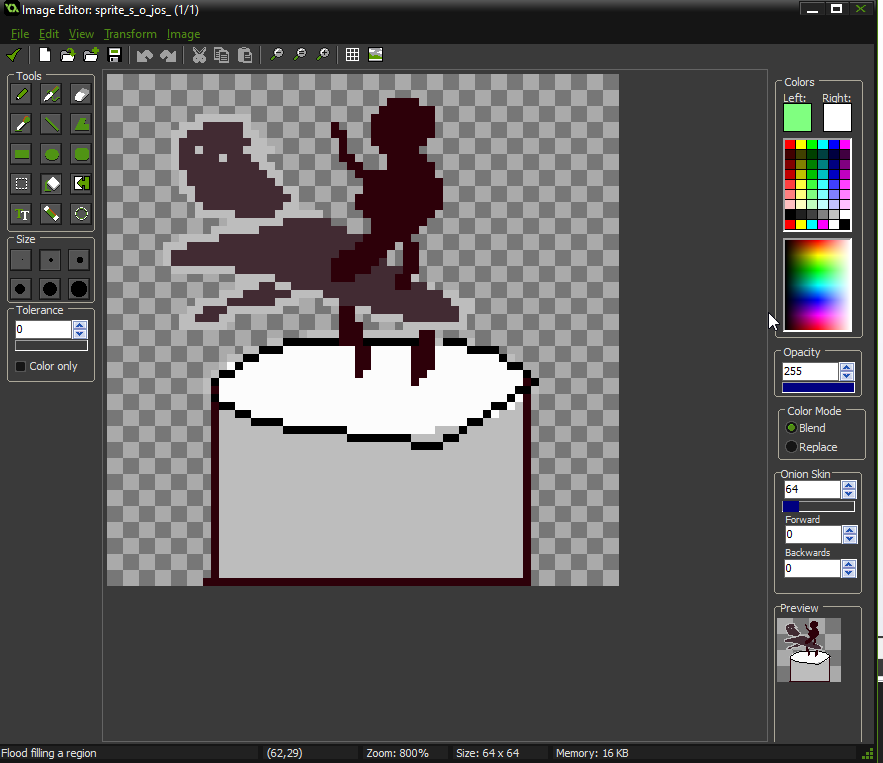
A very crude and sketched/wip pixel representation of a man atop a horse. The horse is basically just an elongated triangle with little numbs and there is no detail to the man it being all one color.
It was then that my biggest headache started. How did I make sure that if you collided with water you would die, but not if you were on top of logs? I started by trying collisions, and having a fairly ridiculously large and statement. On collision between log and player if the player is also colliding with log and the player is not colliding with turtle or the player is in either of them or – you get the picture but that did not work.
I also had weird behavior with the way the frog (well spider) x glued itself to the log or turtle. I had made a simple on collision obj_frog.x = obj_log.x but that meant my frog kept teleporting between different logs and dying.
You can already see the issue right? Through headaches I tried many things. First of all I tried basically the same logic but simplifying it. In obj_water (or just object as it was called) if obj_log.OnTop = true and obj_turtle.OnTop equal true then the player doesn’t die, with OnTop being made true by collision otherwise OnTop equals false in the two objects. This was, I thought ingenious and likely to work but it didn’t.
The problem was that I was doing two things wrong. First I was using general obj_log.x not x on log, because I had not learned my lesson from the cars. And second I was trying to apply behavior to the frog (spider) but never using the frog object itself. Once it sunk to me that I should do this all in obj_frog and not object (which is obj_water) everything became much clearer.
}
if place_meeting(x, y,object)
{
if !place_meeting(x, y, obj_log) && !place_meeting(x, y, obj_turtle)
{
Frog_count -= 1;
x = 256;
y = 456;
}
log = instance_place(x,y,obj_log)
if place_meeting(x,y,log)
x = log.xturtle = instance_place(x,y,obj_turtle)
if place_meeting(x,y,turtle)
{
x = turtle.x
}
}
By this ponit I hda been reading deep into the help files and had discovered instance_place (which gets you the value of an instance, not the object itself). This allowed me to “glue myself” to the x of an instance, thus solving the issue (kind of, I will tell you later). And now the water did not kill us if we were in a log or turtle.
But not everything was solved. I still needed a win condition. I still needed a lose condition…In the original Frogger when you place the frog in specific holes/places there is an animation and you get points. Rather than just get to the end of the stage. I toyed with the idea.
if place_meeting(x,y,obj_web)
{
Frog_count -= 1;
SCORE += 500
x = 256;
y = 456;
}
With an animation then changing on the object to indicate that a spider was there and it no longer being available as a hole for the player but it did not feel particularly fun. Now 7 or so hours into it I just wanted it done. Just getting to the end and resetting seemed like a good enough idea. I had looked up videos of frogger and seen that it had sound, music, harder stages but for an 8 hour exercise this seemed about right. Quickly I added the final logic to my player.
Create:
image_animate = 0
Frog_count = 7
image_index = image_animate
move_speed = 8
SCORE = 0Step:
image_index = image_animate
if Frog_count = 0 and SCORE < 3500
{room_restart()
}if Frog_count = 0 and SCORE = 3500
{
room_goto(room1)
}
if y < 36{
Frog_count -= 1
x = 256
y = 456
SCORE += 500
}
if place_meeting(x, y,object)
{
if !place_meeting(x, y, obj_log) && !place_meeting(x, y, obj_turtle)
{
Frog_count -= 1;
x = 256;
y = 456;
}
log = instance_place(x,y,obj_log)
if place_meeting(x,y,log)
x = log.xturtle = instance_place(x,y,obj_turtle)
if place_meeting(x,y,turtle)
{
x = turtle.x
}
}if place_meeting(x,y,obj_web)
{
Frog_count -= 1;
SCORE += 500
x = 256;
y = 456;
}if keyboard_check_pressed(ord(“A”)) or keyboard_check_pressed(vk_left)
{image_angle = 270
image_animate += 1
obj_frog.x -= move_speed
}
if x > room_width- 8 {
x = room_width/2 – 8
}if x < 8 {
x = 8
}if image_animate ==1 {
image_animate = 0
}if keyboard_check_pressed(ord(“D”)) or keyboard_check_pressed(vk_right)
{image_angle = 90
image_animate += 1
obj_frog.x += move_speed
}if keyboard_check_pressed(ord(“W”)) or keyboard_check_pressed(vk_up)
{image_angle = 0
image_animate += 1
obj_frog.y -= move_speed
}if keyboard_check_pressed(ord(“S”)) or keyboard_check_pressed(vk_down)
{image_angle = 180
image_animate += 1
obj_frog.y += move_speed
}On collision with Car1:
Frog_count -= 1
x = 256
y = 456
On collision with Car2:Frog_count -= 1
x = 256
y = 456Draw event:
draw_self()
draw_text(140,32,”Score:”)
draw_text(220,32,SCORE)
draw_text(140,64,”Lives:”)
draw_text(220,64,Frog_count)
The logic was simple. If you made it to the end of the level, or top I should say (y < 40) you were reset to the start with 500. If you died? Reset to the start but no points. In the end when you run out of lives we check if you have all the points from winning 7 times (a number I took from the original Frogger) and if so you go to the congratulations screen – Or the game restarts.
It was simple logic. And not without bugs. Because of how I approached the x check while atop a log or turtle you cannot jump out of it by moving left or right and are stuck on them. In fact if another log crosses your path you are teleported to that one instead. This means that you have to spend a long time waiting for the turtles and logs to line up. Because they are not screen wrapping but reflecting there are moments where a huge chunk of the road, over half is totally empty, and you can just cross it. You can sorta hover mostly out of a log but still being carried and not die, because a single pixel of your spider is touching the log. Getting to the end can be finnicky and I’m pretty sure there is like at least some of the gray background (that doubles as a road) showcasing through the “obj_water” water. It’s once again 640 by 480 and I didn’t make a menu or add any sound.
But still for 8 hours I am fairly proud of the result. I had always wanted to make a Frogger clone. In fact it was one of the first projects I ever tried. And this comes way closer, in 8 hours than what I did in Blitz Basic and took me several days. I’m evolving as a programmer. Basic as this might be I’m still proud of it.
The last thing I created was an icon for the game. Because those little details matter to me.
And considering I also wrote 2800 words today and updated my so often mentioned Pokemon fanfic of 120k words length? Today was a good, creative day.
If only I had translated though…
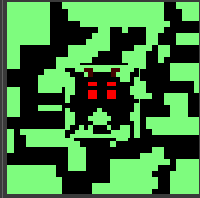
The icon for the game. It’s the player character, a spider in the middle of the green and black block that forms the walkways of the game.
You can play Itsy Bitsy Spider Crossing HERE