
I am as surprised by this random devlog as you are. Tghe truth is that I had been having a terrible day, willing to burn down all my work and claim that I could not produce anything of worth, much less art when inspiration struck. Perhaps it was that I had once again been messing around with the CD by Digeratti that promised “1001 games in one cd!” and saw how many of those so called “email games”, flash games made to be simple and addictive focused on just one mechanic. Perhaps it was the Concerta and the result of Autistic Hyperfocus. But the truth is that, after 6 hours or so I have made a new game. Not only that I have implemented things I have been meaning to try for years at this point. So perhaps the day wasn’t as bad as I had feared?
I wanted to make Tapper. You know that game where you move up and down in “Lanes” and throw beers at customers, who then return it to you and if you let them fall or throw beer to someone who isn’t there it’s game over? It’s even a game that’s featured in Wreck it Ralph, but I played the shareware, ad game version on Windows with the Coca Cola or Pepsi or local brand of Soda instead.
Of course I had to do it the worst possible way. Instead of setting up “Lanes” in a “if you move up you’re in lane 2” I decided to edit the pixels manually. “if you press the arrow key obviously you remove y pixels by 120” I thought. I had already set up basic movement and the creation of the beer glass when I thought that this kind of game looked far more similar to a space shooter than anything else.
Which is why in the game my Player Object is still called Obj_Bartender. The truth is that when I created a “beer” by pressing the space bar and it rapidly moved left (as I assigned it an hsp – Horizontal Speed and removed it from x) it sort of reminded me of a space shooter. I had previously toyed with the idea of a Space Shooter with The Little Space Shooter that Could, where I had removed the ability for the player to be the one controlling when the shots were fired, in a way that mirrored my convulsions and seizures. But this time? This time I thought it probably best to give control to the player.
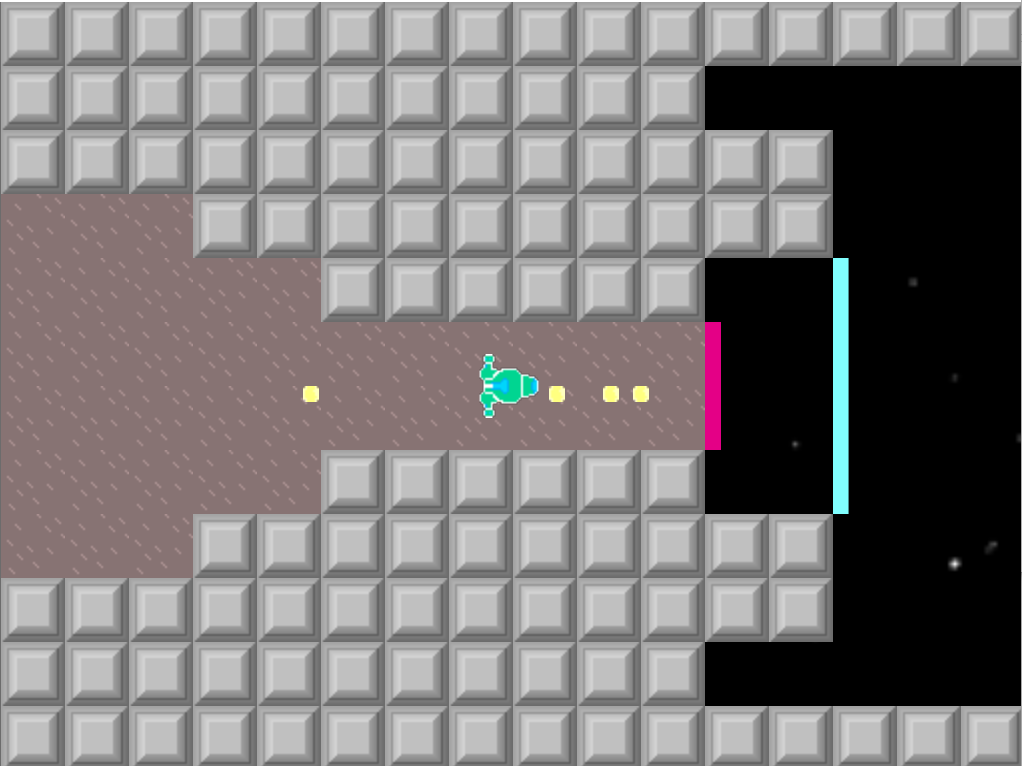
Screenshot of the Little Space shooter that could showcasing the little ship shooting at random. It is about to be ejected from a space shute into space
So I was thinking of Gradius. You know move right, enemies move left towards you, and fire bullets. Not worried with power ups or upgrades yet I simply created an enemy. Very simple logic they have an HBSP (Horizontal Bad guy Speed) that, much like my earliers bullets gets removed from their x. I was also pretty slick and decided they could match the player Y (up and down movement).
Create
hbsp = 4
Step
x -= hbsp
(…)
if (instance_exists(obj_bartender)) {
if (y < obj_bartender.y) y += 1;
if (y > obj_bartender.y) y -= 1;
If obj_bartender (our player) exists and it is above us, enemy goes up, if it’s below us enemy goes down. I set up a timer, at first at 30, but then later moved to 12 to make the enemy ships fire
Create
timer = 12
(Still in Step)
timer -= 0.2if timer < 1 {
instance_create(x – 4,y,obj_bulletBAD)
timer = 12
}
And because this was Gradius I created a single dirt/wall tile/object that I pasted everywhere…or well I was going to, except I thought that it might be more effective to loop it. After all I had forced my view to 320 by 288, a standard I use and double that of the original gameboy, so if I could somehow make it the illusion…
First attempts looked way cool as you could literally see the level form in front of you, but a few math tweaks and I managed to make it seem smoth and perfectly looped. This was also some pretty clever code re-use. Much like the enemy ships (and the bullets) the code was simple
Create
hsp = 2
Step
x -= hsp
(…)
if x < -32 {
x = 320
}
That’s it. That was all it took. Blocks would go beyond the border of the screen and world, and be teleported back to the right, to loop seamlessly. If you look at my room you can see that in fact there is very little in the way of blocks relatively speeaking.
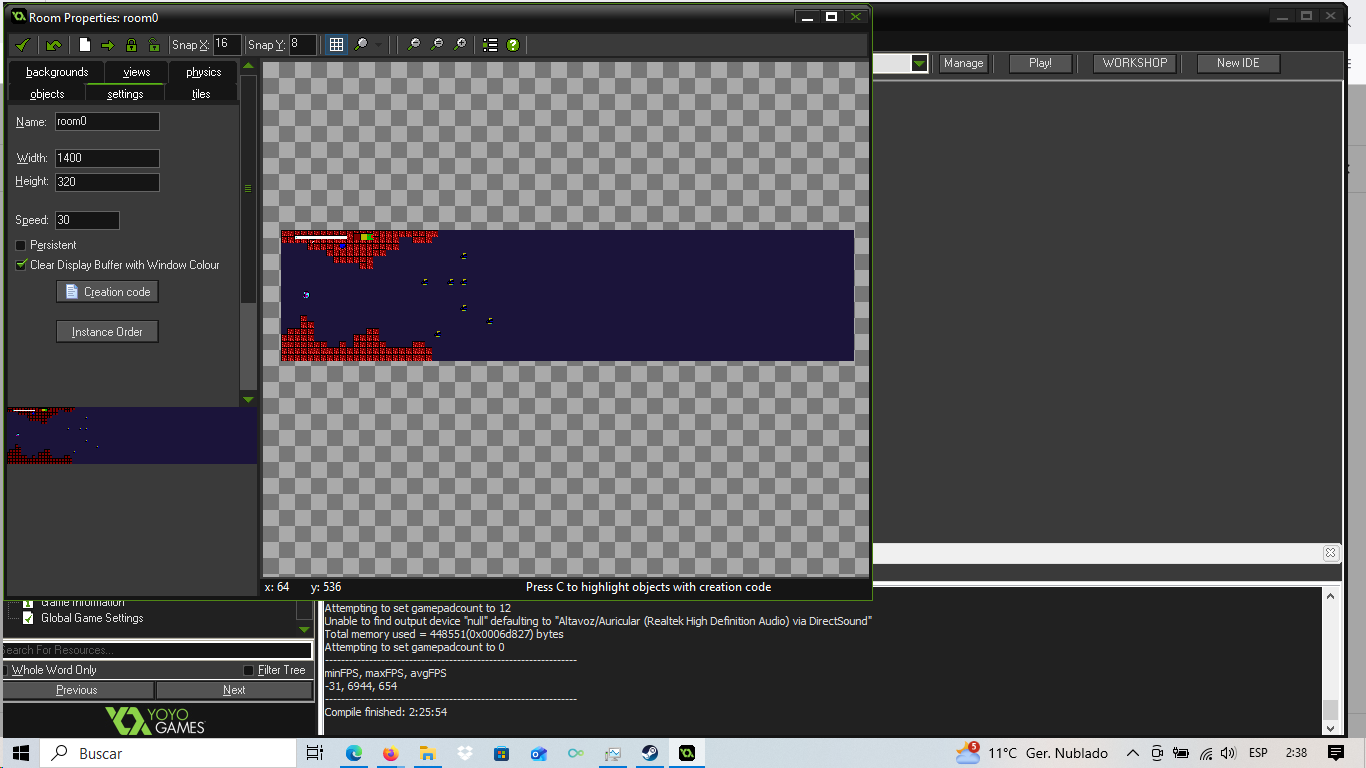
A showcase of the room where the game takes place. Only about a fifth of it is populated with tiles and enemies since they loop.
But that got me thinking. I had long known the secret to “infinite runners” that is. The player is actually stuck in place and the whole world comes to them and loops. With my tiles/walls and my enemies coming to me had I not basically done the same thing? I decided to lock my player in place and check how it played. This was also around the time where I replaced the dark red, Gotham city in Batman the Animated Series like background with a moving background that made me sick before deciding on a simple dark blue color, thus coloring the game into being set underwater.
I knew the idea had potential when I could not stop myself from repeating it. At this point the game was brutally hard, and I couldn’t go for more than 5 or 10 seconds but the loop was pretty satisfying. The corridor/hallway like design of the world made the last minute escapes feel extra earned. At this point any bullet, contact with the wall or contact with an enemy ship reset the entire game and score.
I had been wondering what to do with enemies. It was the same enemies, respawning over and over since you could not defeat them, only outrun them. My first change was making it so that when you tricked them via Y manipulation into hitting a wall they would be flung very far into the stage. They would be back in 5 to 15 seconds but it gave you a breather. I thought that might work as a solution if you shot them.
However that provided a problem. When they shot bullets they shot them from in front of them. They matched the Player’s Y coordinate. So that meant that the player could basically push them away and, since I had not put a limiter on their weapon spam the Space bar to shoot and win. It wasn’t fun, it was tedious but one could theoretically keep going forever.
In order to make it fairer (and to retain some of that challenge) I decided I was going to limit the rate of fire a bit. That was just one variable, and an if statement, now…
if keyboard_check_pressed(vk_space) and supression < 7
{ instance_create(obj_bartender.x, obj_bartender.y, obj_beer)
supression = 28}
(…)
supression -= 0.8
if supression < 0
{supression = 0
}
There, we made sure it couldn’t go below 0. We made it so when you shot you had to wait a few seconds to shoot again, and the game was now playable in a loop. A loop I quite enjoyed.
I was using numbers to indicate when one could and could not shoot but that felt clunky and not immediately telegraphed to the player. They could very well get confused about what the numbers meant even as they saw that when they shot it went up. When I had made Super Dynamo Golem Dungeon (Or Super Golem Dynamo Dungeon I switch between the titles) I had learned of a hacky, cheaty way to make animation changes based on state. That was what I did here. Spoiler alert it wouldn’t be the last time.
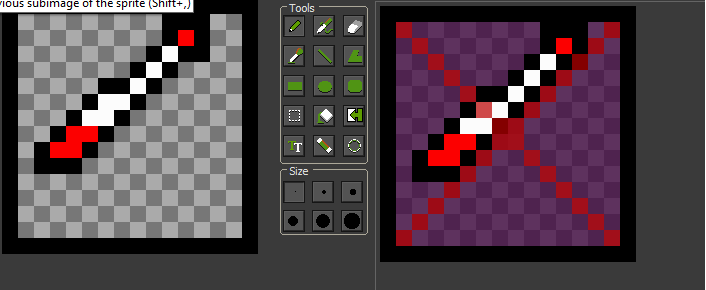
To the left the regular icon. To the right the same icon but with a transluncent/opaque purple background and a big red cross over it indicating it cannot be used.
What I did was create a sprite with two different sprites. Then placed it in an object and
Step
image_index = 0
if obj_bartender.supression > 7 {
image_index = 1
}
I had quickly learned to love and adapt this little piece of “cheaty/hacky/cheesy” tech to all my projects. Now with the ability to see when they could or could not shoot I decided to balance the difficulty.
Up to this point any contact with a bullet, ship or wall reset the room entirely, restarting the entire game. I thought that to be a bit brutal. Given bullets were by far the most common hazard (but not the most difficult to avoid) I decided to implement a simple life system.
All the Step code for the Player (Obj_Bartender)
if keyboard_check(vk_up) {
y -= move_speed
}
if keyboard_check(vk_down)
{
y += move_speed
}if keyboard_check_pressed(vk_space) and supression < 7
{ instance_create(obj_bartender.x, obj_bartender.y, obj_beer)
supression = 28}supression -= 0.8
if supression < 0
{supression = 0
}if life < 1 {
room_restart()
}
And because I was already in a polish phase anyway I decided to once again go to my favorite trick to help have a quick UI. It goes from “Full” to “Oh No” to “OOF” because a bar with colors reads so much better than numbers at a glance.
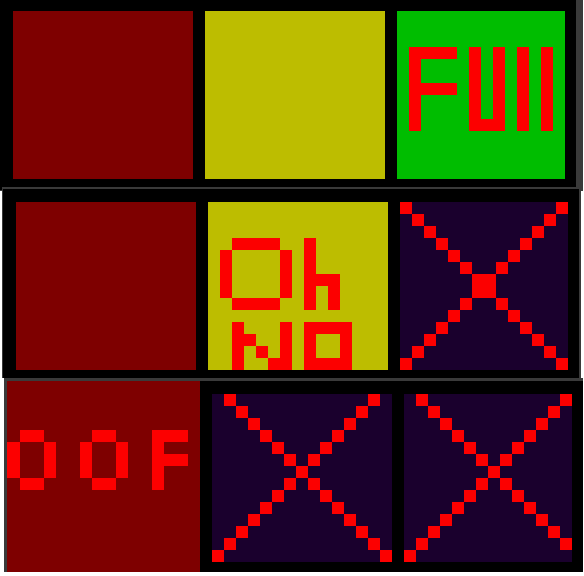
The Three versions of the healthbar, as the player gets hit, a Purple square with red cross takes over one of the 3 squares of life. They read “Full” (at full health) “Oh no” (at 2 points of health) and “Oof” (at one point of health)
And seriously! Same piece of logic
if obj_bartender.life = 3 {
image_index = 0
}if obj_bartender.life = 2
{
image_index = 1
}if obj_bartender.life = 1
{
image_index = 2
}
But because I was already looking into the game I decided that perhaps an ending would be suitable. My best attempts had ended at around 140 meters. So 1000 meters seemed like a fair enough challenge. It was a nice round number anyway. Quickly I created a map. Just a white line with a blue square at different points. And yup. Same logic again!
Obj_map
Create
Distance = 0
Step
distance += 0.05
if distance < 100 {
image_index = 0
}if distance > 100
{
image_index = 1
}if distance > 200
{image_index = 2
}if distance > 300
{image_index = 3}if distance > 400
{
image_index = 4 }if distance > 500
{image_index = 5
}if distance > 600
{image_index = 6
}if distance > 700
{image_index = 7
}if distance > 800
{image_index = 8
}if distance > 900
{image_index = 9
}
if distance > 1000
{room_goto(room2)
}
So now I had to make an ending. Luckily I had been constraining myself, as previously mentioned to 320 by 288 resolution. So when I created a chest object, and combined it with a love for memes…
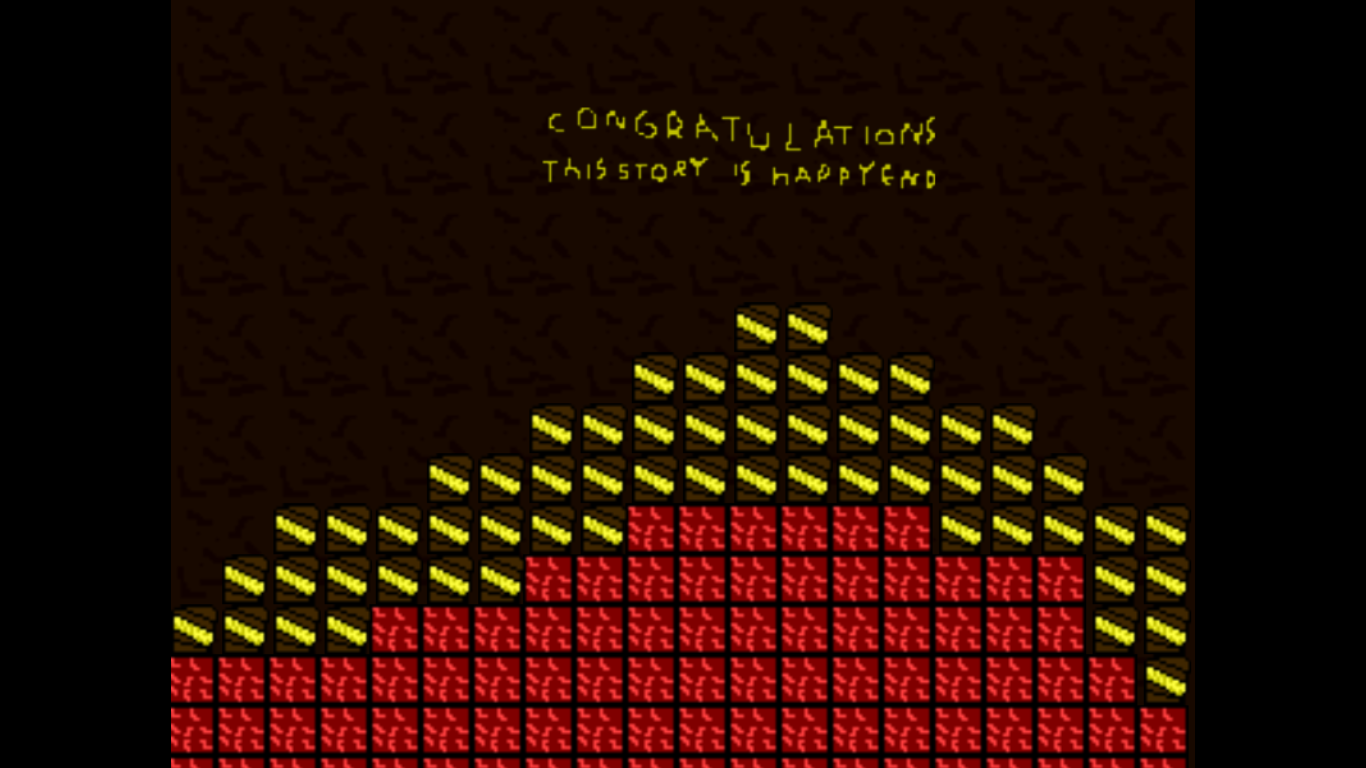
The ending screen. It reads “CONGRATULATIONS THIS STORY IS HAPPY END” and below a group of a few dozens chests with gold on top of the dirt tile.
Of course I had to fix a bug here. Since this was the same dirt from the main loop, I had to make sure it knew the exception to when to move left.
Step of obj_dirt
x -= hsp
if room == room2 {
hsp = 0
}
if x < -32 {
x = 320
}
At this point I had an ending, I had the main game loop. I had a game, I had even added a map, UI for damage and an indication on when you can use the weapon. But there was something that I had been toying with I wanted to try.
My first game engine had been flash and actionscript. The power of Button.OnClick {
GotoandWait();
}
Could not be overstated. In fact one of my old flash games still somehow survives, several account names later on Newgrounds where it wasn’t blamed. I could have easily gone to one of my many game dev friends and asked them for help coding a menu. I could have asked Chat GPT or another AI if I wanted to hate myself…But I had a sorta theory on how it worked.
If I had an object cursor and I took note of its position, I would know. If it was at for example y 320 it would be “Hovering” over “Let’s start this game” whether if it was at y 480 it would be under “options” or “how to play”. With that idea in mind I decided to try and code a main menu.
I created two objects that were just sprites. In create I hard locked them to a specific X and Y. But then in cursor, that is where the magic happened.
if y = 320 and keyboard_check_pressed(ord(“Z”)) {
room_goto(room0)
}if keyboard_check_pressed(vk_down) and y ==320 {
y += 160
}if y == 480 and keyboard_check_pressed(ord(“Z”)) {
room_goto(room_instructions)
}if keyboard_check_pressed(vk_up) and y == 480 {
y -= 160
}
It was simple, as a way to make it work but it seemed to have worked. Room_instructions consisted of a single sprite, 320 by 288 giving the instructions for the game whether room0 is where the actual game lived.
At this point 6 hours into my hyperfocus and having started at around 7pm, and ignored responsabilities, sleep and dinner I was pretty proud of how it was. My earlier self loathing and “Nothing I create is art, and translation is derivative and I wish I could MAKE stuff” forgotten I pressed forward. There were still things I could do or implement. I could use the same trick I used for obj_map and obj_weaponUI to check when the icon is over a certain Y to make it so that when an option isn’t selected it’s greyed out/faded. I could add music. All those flash games by Digerati? I had nostalgia for those bit crushed very low quality punchy sound effects. Instead I added a very simple animation of fish. One of the simplest loops I could think of, to the background of the menu.
x -= hsp
if x < 0 {
x = 800
y += 64
}if y > 600 {
y = 0
}
I mean it’s a small detail, but why not right? It adds a little bit of polish just as with the fact I created a custom Icon.
And the game relied (exclusively) on magic numbers, and bad coding. I actually regressed from my enum with player states for the beer, full, empty etc. It is bad coding and it has the vibes of a BASIC project. I still don’t know how to reserve or deal with memory. I have no background in IT. It’s, once again in 800 x 600 and has no sound.
But it’s almost 5am and I’ve written this devlog twice because the first time it simply vanished into the Ether. I am sure that my back will regret sitting for so long in a hard chair. I am sure that my stomach will regret not eating. But like I said for someone who was complaining they never produce anything (even, despite having made a game in December and weekly dev logs) today Concerta, the gods, and hyperfocus came together and helped me produce something. And it’s perhaps bad coding. And cheesing it to all hell. But I’m proud of it. Another game I made to the collection.
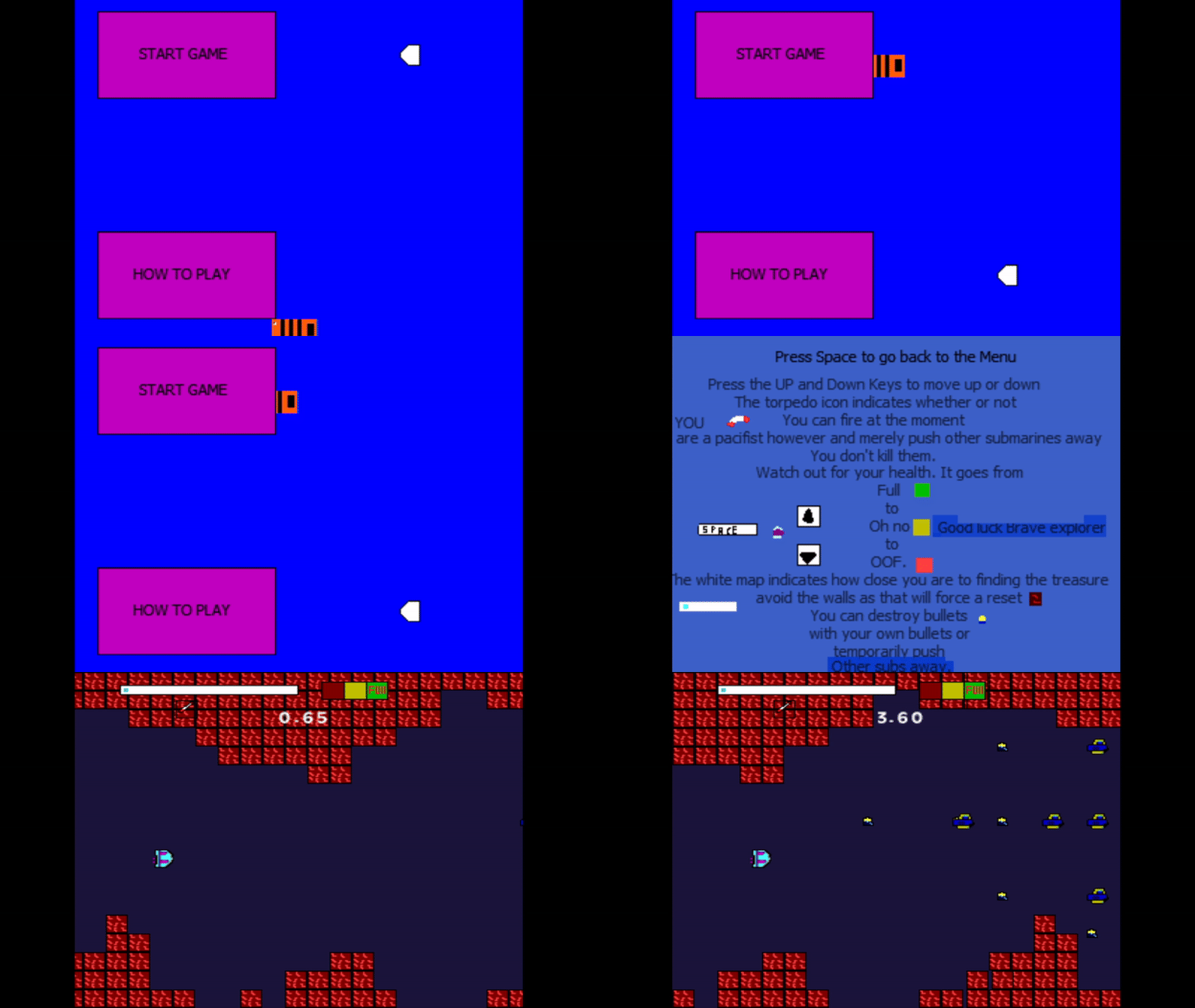
A gif of the main menu showing that the icon selects between two buttons, that pressing Z on one of the options opens either how to play or the main game. A fully functional main menu.
YOU CAN DOWNLOAD AND PLAY THE LITTLE SUBMARINE THAT COULD HERE